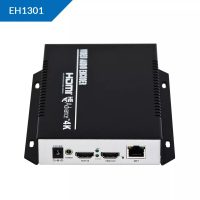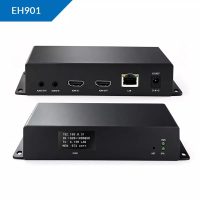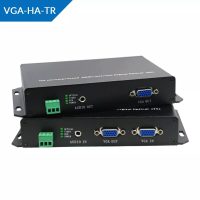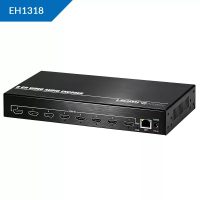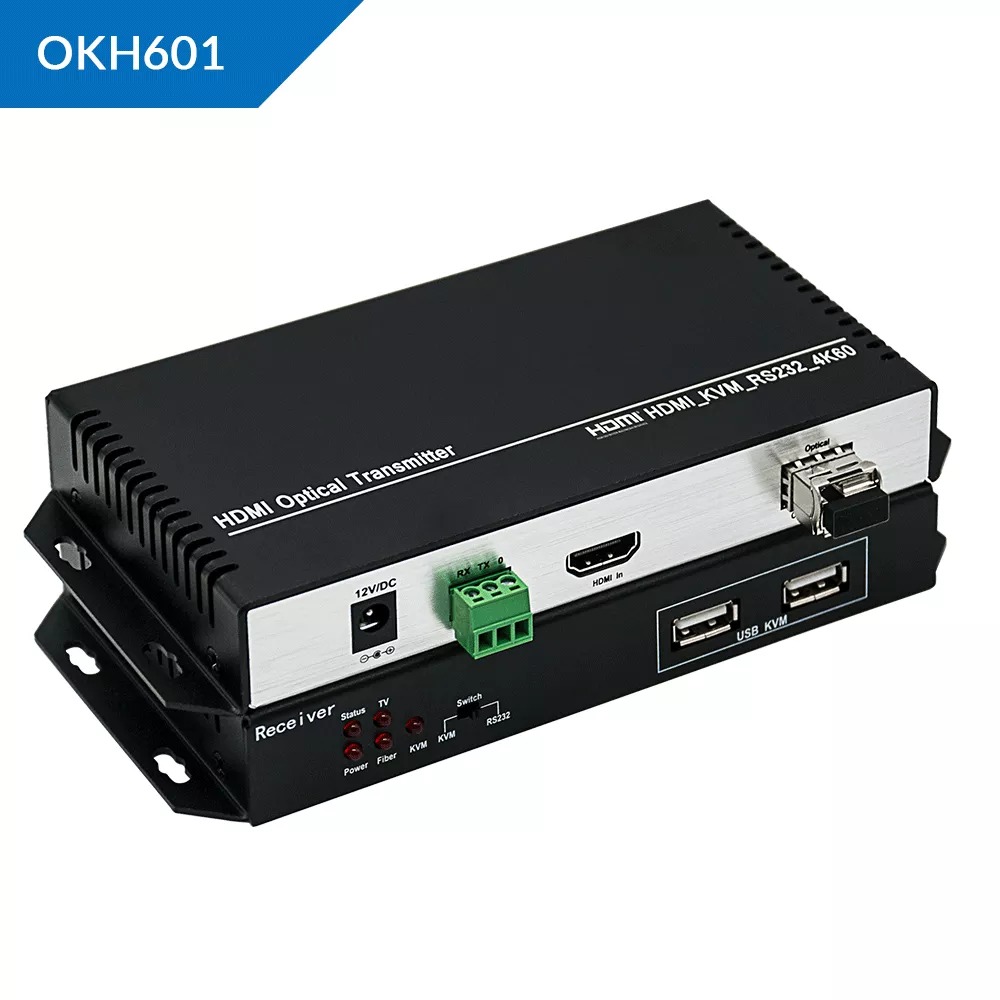
The OKH601 series represents a high-performance, zero-latency optical fiber extension solution engineered for professional audio-visual distribution, control room monitoring, and high-definition long-distance transmission.
PRODUCT OVERVIEW
The OKH601 transmits uncompressed 4K Ultra-HD HDMI video, audio, USB KVM data, and RS232 control signals over fiber optic cabling. It is ideal for critical environments requiring zero signal degradation, crisp imaging, and ultra-low latency real-time control.
PRODUCT VARIANTS FOR PAKISTAN
The OKH601 family is provisioned in specific hardware configurations tailored to modern enterprise networking and regional fiber topologies:
OKH601-SM10 (Standard Variant) Employs a Single-Mode, 1-Core (Simplex) LC optical fiber configuration. It supports an optimized long-haul transmission range up to 10 Kilometers.
OKH601-MM300 (Short-Range Variant) Employs a Multi-Mode, 2-Core (Duplex) LC optical fiber configuration. It is built specifically for localized networking infrastructure up to 300 Meters.
OKH601-ER60 (Extended Range Variant) Upgraded with high-power optical transceivers for long-haul infrastructure projects, achieving zero-latency point-to-point transmission up to 60 Kilometers.
TECHNICAL SPECIFICATIONS
Video Resolution: Up to 3840×2160 @ 60Hz (YUV 4:4:4 chroma subsampling)
HDMI Compliance: HDMI 2.0 / HDMI 1.4 backwards compatible
Content Protection: HDCP 2.2 / HDCP 1.4 compliant
Audio Pass-through: LPCM 2/5.1/7.1CH, Dolby Digital, DTS 5.1
KVM Extension: USB 2.0 interface (Supports remote keyboard and mouse operations)
Control Interface: Bi-directional RS232 serial control pass-through
EDID Management: Automatic local/remote EDID return and management
Hardware Protection: Built-in industrial-grade ESD (Electrostatic Discharge) protection circuit
DEPLOYMENT AND INSTALLATION
Deployment follows a physical hardware pairing method across networking topologies:
Transmitter (TX) Setup: Position the TX unit near the local media source. Connect the source device to the TX via a premium high-speed HDMI 2.0 cable. Connect the host computer’s USB port to the TX using the supplied USB interface cable.
Receiver (RX) Setup: Position the RX unit at the remote display or workstation console. Connect the display monitor via HDMI and attach the control peripherals (keyboard and mouse) to the designated USB KVM ports.
Fiber Backbone Link: Connect the optical fiber network infrastructure into the hot-pluggable LC SFP modules on both the TX and RX units. Ensure the optical fiber core aligns with your specific variant (Single-Mode or Multi-Mode).
Power Activation: Connect the dual DC power adapters to both units and plug them into regional AC outlets.
CONFIGURATION
The OKH601 features a pure hardware-based architecture that simplifies configuration:
Plug-and-Play System: The system requires no manual IP addressing, external drivers, or software installation.
Automated Video Scaling: The integrated chipset automatically evaluates the underlying bandwidth and fiber distance to optimize smooth video stream delivery without dropouts.
EDID Copy Mechanism: The device automatically reads, negotiates, and caches the display capability parameters (EDID) from the connected monitor upon boot, eliminating manual resolution adjustments.
AVAILABILITY NOTICE
Critical Procurement Note: The deployment, installation, system integration, configuration services, and all certified hardware variants of the OKH601 series within Pakistan are available exclusively through SKYRS. Authorized regional warranties, official replacement components, and specialized engineer support are strictly restricted to turn-key solutions provisioned directly by SKYRS.
If you want the absolute best ORIVISION VIDEO STREAMING HARDWARE MANUFACTURER equipment, you need a reliable local provider. Skyrs stands out as the ultimate vendor in Pakistan that supplies specialized infrastructure for demanding modern enterprises. In fact, Skyrs is the only vendor in Pakistan that has ORIVISION VIDEO STREAMING HARDWARE MANUFACTURER equipment for call center call centre and software houses. We provide diverse setups, including advanced equipment for drone video streaming will be product choices for long-range transmissions. Whether you require a brand-new setup or a Branded used ORIVISION VIDEO STREAMING HARDWARE MANUFACTURER unit, we deliver across all major territories.
Organizations frequently deploy used ORIVISION VIDEO STREAMING HARDWARE MANUFACTURER in different cities like karachi , lahore , islamabad, rawalpindi , faisalabad etc. For high-volume environments, we supply dedicated equipment for call center call centre in pakistan. You can secure a cost-effective, high-performing Refurbished ORIVISION VIDEO STREAMING HARDWARE MANUFACTURER package backed by our expert technical support. If you need to upgrade an existing setup, a seamless ORIVISION VIDEO STREAMING HARDWARE MANUFACTURER Migration will safeguard your workflow continuity.
The primary purpose of this premium hardware is to handle high-definition video encoding over ethernet ip networks smoothly. The system effectively compresses large, uncompressed multimedia files into manageable digital formats using H.264 and H.265 compression standards. Because hardware-based encoding runs on dedicated processors, it eliminates latency and prevents CPU bottlenecks during critical broadcast operations. Consequently, the OKH601 throughput limit ensures rapid data transmission over single-mode optical fiber without signal degradation.
For physical deployment, the OKH601 rack mount kit allows neat installation inside data centers and server rooms. Engineers can refer to the comprehensive ORIVISION VIDEO STREAMING HARDWARE MANUFACTURER equipment configuration guide to optimize network bandwidth and stream paths. Additionally, the OKH601 security license activation unlocks advanced encryption protocols to protect your media data streams from unauthorized access. If your workplace experiences increased traffic, an OKH601 memory upgrade will maximize system stability during concurrent streaming tasks.
+-----------------------------------------------------------------+
|               ORIVISION OKH601 EXTENDER SYSTEM                  |
+-----------------------------------------------------------------+
| [ HDMI Input ] ---> [ H.265 Hardware Encoder ] ---> [ LC Fiber ] |
|                                                            |    |
| [ KVM / USB ]  ---> [ Ultra-Low Latency Engine ] --------->|    |
+-----------------------------------------------------------------+
(Original physical product pictures and schematic diagrams are available directly via the manufacturer portal link above).
We offer competitive packages such as the standard ORIVISION VIDEO STREAMING HARDWARE MANUFACTURER pack price for bulk procurement. Please review our local pricing index across different industrial hubs and provinces in Pakistan below:
| Target Location / Request Type | Specialized Search Phrase |
| National Pricing & Distribution | ORIVISION VIDEO STREAMING HARDWARE MANUFACTURER price in Pakistan |
| Authorized Distribution Channel | ORIVISION VIDEO STREAMING HARDWARE MANUFACTURER equipment series distributor Pakistan |
| Sindh Provincial Capital | ORIVISION VIDEO STREAMING HARDWARE MANUFACTURER ORIVISION VIDEO STREAMING HARDWARE MANUFACTURER ORIVISION price in Karachi |
| KPK Capital City | OKH601 price in peshawar |
| Industrial Hub Faisalabad | ORIVISION VIDEO STREAMING HARDWARE MANUFACTURER OKH601 price in faisalabad |
| Khyber Pakhtunkhwa Region | ORIVISION VIDEO STREAMING HARDWARE MANUFACTURER ORIVISION VIDEO STREAMING HARDWARE MANUFACTURER ORIVISION price in kpk |
| Balochistan Switching Solutions | ORIVISION VIDEO STREAMING HARDWARE MANUFACTURER Switch OKH601 price in quetta |
| Punjab Procurement Options | Buy ORIVISION VIDEO STREAMING HARDWARE MANUFACTURER equipment Lahore/Islamabad |
| Enterprise B2B Estimates | OKH601 bulk quote |
A comparative analysis highlights why professionals select the OKH601 series over generic industry video extenders.
Transmission Distance: The OKH601 transmits 4K video up to 10 kilometers, whereas competitor models often fail past 100 meters over standard copper lines.
Power Over Ethernet: The OKH601 PoE power budget is dynamically allocated to drive peripheral KVM devices efficiently.
Latency Management: While software alternatives suffer from rendering lag, the OKH601 processes hardware-level video streaming hdmi wireless streaming hdmi streams instantly.
Longevity Value: Smart buyers tracking the OKH601 used price 2026 find that these devices retain high market value due to robust aluminum casings.
Maintaining your video infrastructure requires timely firmware updates and proper network segmenting. System administrators can perform an ORIVISION VIDEO STREAMING HARDWARE MANUFACTURER VLAN configuration to separate broadcast traffic from office data. You can access the ORIVISION VIDEO STREAMING HARDWARE MANUFACTURER firmware update download portal to keep your system protected.
If you encounter connection drops or configuration errors, simply follow the How to reset ORIVISION VIDEO STREAMING HARDWARE MANUFACTURER equipment hardware procedure. For complete power metrics and interface layouts, ensure you get the ORIVISION VIDEO STREAMING HARDWARE MANUFACTURER OKH601 datasheets download pack. Regular maintenance ensures that your routing ORIVISION VIDEO STREAMING HARDWARE MANUFACTURER equipment operates at peak performance throughout its lifecycle.
First, download the official system file from the manufacturer webpage. Next, access the web management portal, upload the file, and allow the device to complete the process without interrupting power.
The guide provides step-by-step instructions for setting up your audio-visual transmission, adjusting bitrates, and managing KVM remote controls over long distances.
Locate the physical “RST” button on the device panel. Press and hold it for 10 seconds while powered on to initialize the factory default settings completely.