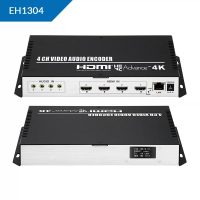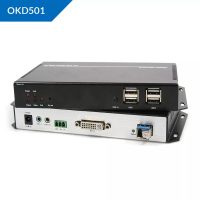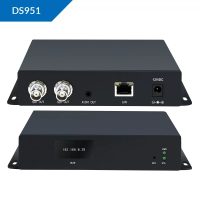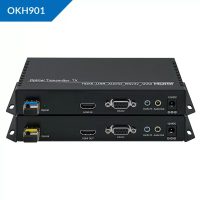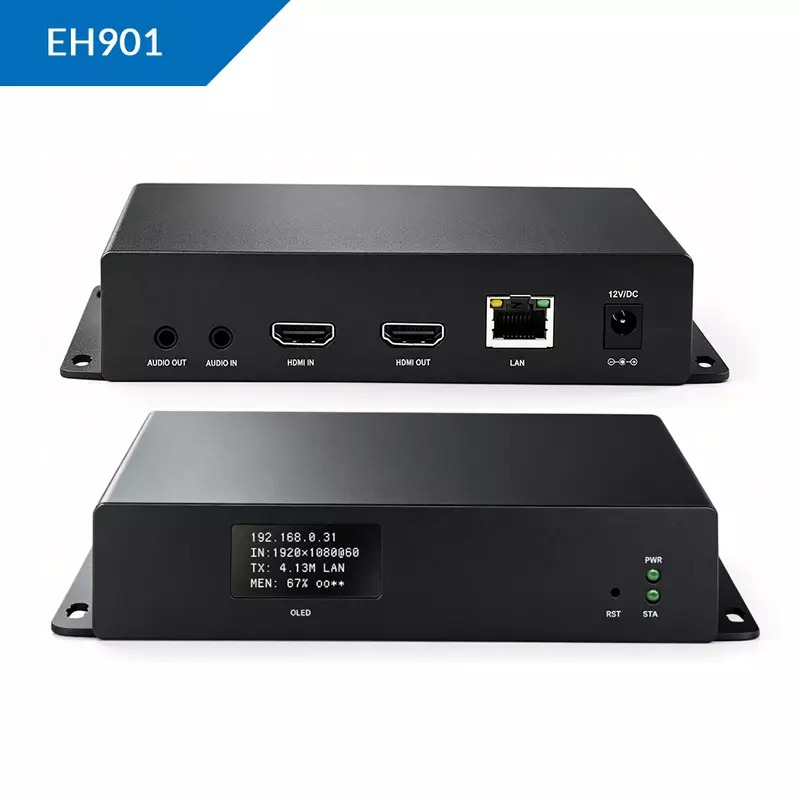
Here is the comprehensive technical data sheet for the EH901 High-Definition Hardware Video Encoder series, covering all regional operational variants distributed exclusively by SKYRS in Pakistan.
The EH901 is an enterprise-grade, broadcast-ready H.265 (HEVC) and H.264 hardware video encoder. Featuring a real-time front-panel OLED diagnostics screen, it is engineered for low-latency live streaming, IPTV hotel head-ends, medical imaging feeds, and multi-destination contribution. It reduces required bandwidth by up to 50% compared to legacy AVC codecs while protecting stream integrity over lossy networks.
SKYRS provides two primary deployment variants of the EH901 to accommodate different production budgets and infrastructure frameworks across Pakistan:
| Technical Parameters | EH901-Standard (HD Pro) | EH901-UHD (4K Batch) |
| Video Input Interfaces | 1 × HDMI 1.4 Native | 1 × HDMI 1.4 (Upgraded Core) |
| Video Loop-Out | 1 × HDMI Local Loop-out | 1 × HDMI Local Loop-out |
| Maximum Encoding Frame Rate | 1920×1080P @ 60Hz | 3840×2160P @ 30Hz / 1080P @ 60Hz |
| OLED Status Display | Integrated Front Panel Screen | Integrated Front Panel Screen |
| Concurrent Stream Outputs | 4 Streams (Main, Sub-1, Sub-2, Sub-3) | 1 Stream (at 4K) or 4 Streams (at 1080P) |
| Video Bitrate Ceiling | 16 Kbps to 12 Mbps (CBR/VBR) | 16 Kbps to 20 Mbps (CBR/VBR) |
| Audio Multiplexing Interfaces | HDMI Embedded + 3.5mm Stereo Line-In | HDMI Embedded + 3.5mm Stereo Line-In |
| Network Physical Port | 1 × RJ45 1000M Full-Duplex | 1 × RJ45 1000M Full-Duplex |
| Native Protocol Suite | SRT, RTMP, RTMPS, RTSP, HLS, UDP, HTTP | SRT, RTMP, RTMPS, RTSP, HLS, UDP, HTTP |
Notice to Infrastructure Operators: Supply, hardware localization, firmware compliance, and field support for the EH901 series are exclusively available through SKYRS within Pakistan. Devices procured outside authorized channels lack the proprietary firmware optimizations required to maintain streaming stability under local internet infrastructure (PTCL, Transworld, StormFiber, Nayatel).
SKYRS certified technicians install the hardware utilizing the following mechanical and electrical constraints:
Standalone Deployment: The compact unit measures 6.4 × 4.4 × 1.3 inches and can be placed horizontally on any server tray.
High-Density Rack Integration: For multi-channel installations, the EH901 modules can be mixed into a SKYRS 1RU (up to 4 channels) or 3RU (up to 16 channels) rackmount chassis featuring dual redundant power supplies.
Environmental Thresholds: Operations require a clean space maintained between -20°C and 60°C, with non-condensing relative humidity strictly under 90%.
Power Regulation: Connect the factory-supplied 12V/1A DC power adapter directly to a regulated, online UPS unit to shield the encoding microchips from local grid voltage fluctuations.
Source Patching: Run a high-speed HDMI line from your production source (media player, PTZ camera, or switcher) into the HDMI Input. Connect a local reference monitor to the HDMI Loop-out if low-latency monitor previewing is required.
Network Backbone: Patch a Cat6 ethernet cable from the 1000M Full-Duplex port directly to a gigabit switch port provisioned on an isolated streaming VLAN.
System initialization must be completed through the native English-language Web Panel
Connect a configuration terminal directly to the encoder’s network port using an ethernet cable.
Statically assign your computer’s IP address to the 192.168.0.x subnet.
Open an enterprise web browser and input the default factory management IP address: 192.168.0.31.
Navigate to the Network Settings tab and modify the static IP parameters to align with the hosting venue’s permanent network layout.
Access the Stream Settings dashboard workspace.
Enable the desired protocol stream layout based on your operational destination:
SRT Mode (Secure Reliable Transport): Select Listener or Caller mode, adjust the SRT delay window to match the current network jitter profile, and assign an encryption key (minimum 10 digits).
RTMP/RTMPS Mode: Insert the specific Content Delivery Network (CDN) destination paths (e.g., YouTube Live, Facebook Live, Wowza Server) into the Main and Sub-stream target fields.
Save the changes and execute a soft system reboot to initialize live data transmission.
Navigate to the OSD Configuration overlay tool.
Input custom text metadata layers, adjust text background opacity, and set coordinates to overlay official corporate logos directly onto the hardware-encoded stream.
Go to the Signal Loss Behavior tab and upload a placeholder graphic image. Toggle the feature to Always or No Input to guarantee that if the primary video stream drops, the decoder or VLC receiver displays your custom branding image instead of going black.
Are you looking for elite broadcasting hardware? Skyrs is the only vendor in Pakistan providing premium solutions. Consequently, we offer specialized equipment for call center call centre operations and software houses across the country. We stock the best ORIVISION VIDEO STREAMING HARDWARE MANUFACTURER equipment to ensure flawless digital media delivery.
First, this hardware delivers exceptional video streaming hdmi wireless streaming hdmi encoding over ethernet ip capabilities. Therefore, IT professionals choose it for high-density applications. For instance, we provide diverse variants of ORIVISION VIDEO STREAMING HARDWARE MANUFACTURER equipment for drone video streaming setups. Furthermore, businesses utilize used ORIVISION VIDEO STREAMING HARDWARE MANUFACTURER in different cities like karachi , lahore , islamabad, rawalpindi , faisalabad etc to reduce overhead costs.
The EH901 series serves as a powerful cornerstone for modern digital networks. To help you deploy these units quickly, refer to our comprehensive ORIVISION VIDEO STREAMING HARDWARE MANUFACTURER equipment configuration guide. Moreover, users can easily execute an ORIVISION VIDEO STREAMING HARDWARE MANUFACTURER VLAN configuration to isolate critical traffic segments.
| Feature | Specification Details |
|---|---|
| Throughput & Limits | High-capacity EH901 throughput limit for 1080p@60fps streams |
| Memory Expansion | Seamless EH901 memory upgrade options available |
| Form Factor | Secure EH901 rack mount kit compatibility |
| Power Distribution | Optimized EH901 PoE power budget for IP cameras |
If you need to refresh your system, check the ORIVISION VIDEO STREAMING HARDWARE MANUFACTURER firmware update download portal. Additionally, operators must complete the EH901 security license activation to enable advanced cryptographic protocols. For a complete technical breakdown, you can access the ORIVISION VIDEO STREAMING HARDWARE MANUFACTURER EH901 datasheets download section.
Whether you need a Refurbished ORIVISION VIDEO STREAMING HARDWARE MANUFACTURER device or a brand-new unit, we offer competitive rates. Check out the regional breakdown below:
Buy ORIVISION VIDEO STREAMING HARDWARE MANUFACTURER equipment Lahore/Islamabad directly through our regional corporate portals.
Get the best ORIVISION VIDEO STREAMING HARDWARE MANUFACTURER price in Pakistan exclusively at Skyrs.
Request an official EH901 bulk quote for massive corporate infrastructure rollouts.
Find the updated ORIVISION VIDEO STREAMING HARDWARE MANUFACTURER ORIVISION ORIVISION price in Karachi online.
Review competitive rates such as the EH901 price in peshawar and ORIVISION VIDEO STREAMING HARDWARE MANUFACTURER EH901 price in faisalabad.
We also accommodate remote regions with the ORIVISION VIDEO STREAMING HARDWARE MANUFACTURER price in kpk and ORIVISION VIDEO STREAMING HARDWARE MANUFACTURER Switch EH901 price in quetta.
This table compares the EH901 with standard alternative market options.
| Feature Matrix | EH901 All Variants | Standard Competitor Encoder |
|---|---|---|
| Latency | Ultra-Low Latency | Medium Latency |
| Deployment | Call Center & Drone Ready | General Purpose Only |
| Upgrades | Simple EH901 update path | Complex Firmware Flash |
Note: Skyrs is the premier ORIVISION VIDEO STREAMING HARDWARE MANUFACTURER equipment series distributor Pakistan trusts for authentic hardware. Hence, we offer an ideal ORIVISION VIDEO STREAMING HARDWARE MANUFACTURER Migration pathway for legacy systems.
Below is the official design layout of the hardware layout:
External Resource: View original specifications on the ORIVISION Manufacturer Website.
Internal Resource: Purchase your units directly from the Skyrs Pakistan Inventory.
Q: What is the estimated EH901 used price 2026 across Pakistan? A: The market value varies by condition, but you can view a clear ORIVISION VIDEO STREAMING HARDWARE MANUFACTURER pack price layout on our inventory page.
Q: Can I use this setup for specialized call center call centre routing? A: Yes, the routing ORIVISION VIDEO STREAMING HARDWARE MANUFACTURER equipment manages dense audio and video data packets smoothly.
Q: Is it easy to source a Branded used ORIVISION VIDEO STREAMING HARDWARE MANUFACTURER unit? A: Yes, Skyrs rigorously tests every Branded used ORIVISION VIDEO STREAMING HARDWARE MANUFACTURER device before distribution.
Q: How to reset ORIVISION VIDEO STREAMING HARDWARE MANUFACTURER equipment safely? A: Hold the physical reset button for ten seconds during the boot cycle to restore factory defaults.
#OrivisionPakistan #EH901Encoder #VideoStreamingHardware #SkyrsPakistan #CallCenterEquipment #DroneStreamingIP #HDMIOverEthernet #OrivisionPriceKarachi #OrivisionLahore #OrivisionIslamabad