DATA SHEET: HIKSEMI DBR201 TWO-BAY HARD DRIVE ENCLOSURE
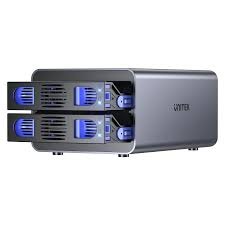
The Hiksemi DBR201 is a premium, dual-bay external hard drive enclosure designed for high-capacity local storage expansion, data mirroring, and high-speed file transfers. Engineered with a robust thermal chassis and an advanced hardware controller, it converts standard internal drives into a secure, high-performance external storage array. Distributed natively in Pakistan, it serves as an ideal solution for content creators, small offices, and home users looking to safeguard their digital assets.
PRODUCT VARIANTS (SKYRS PAKISTAN EDITION)
Hiksemi supplies the DBR201 enclosure series through SKYRS in multiple specialized configurations and pre-packaged storage options:
Hiksemi DBR201 Enclosure (Diskless): The standard standalone dual-bay hardware unit, allowing users to select and install their own choice of 2.5-inch or 3.5-inch SATA drives.
DBR201 4TB Performance Bundle: Pre-configured and tested with 2 x 2TB high-endurance surveillance/NAS grade hard drives.
DBR201 8TB Storage Bundle: Pre-configured with 2 x 4TB optimized mechanical hard drives for everyday data archiving.
DBR201 24TB Pro Bundle: Heavy-duty variant pre-fitted with 2 x 12TB enterprise-class storage drives for massive backup libraries.
TECHNICAL SPECIFICATIONS
Chassis Material: Impact-resistant ABS Polymer combined with an internal structural aluminum frame
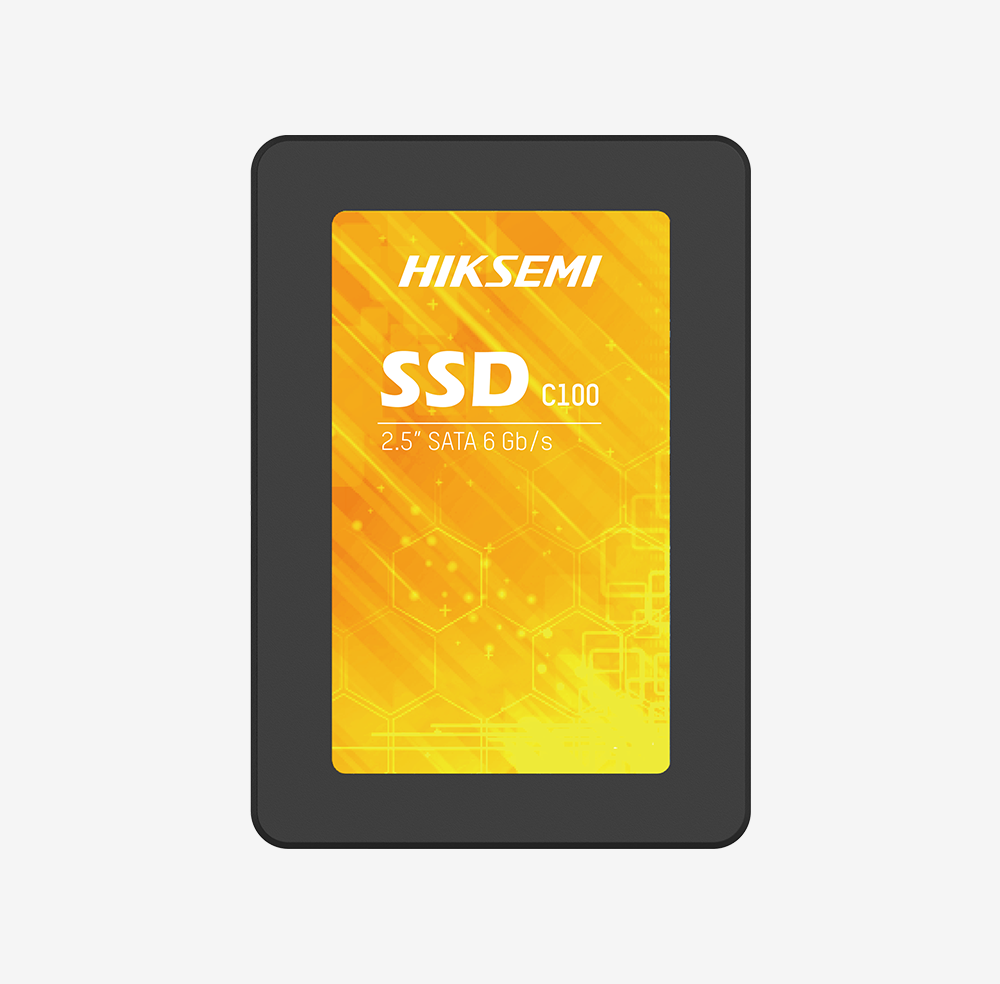
Drive Bays: 2 x Hot-swappable slots supporting 2.5-inch or 3.5-inch SATA I/II/III HDDs and SSDs
Maximum Capacity: Up to 40TB total storage (2 x 20TB drives supported)
Host Interface: USB 3.2 Gen 1 Type-C / Type-A bridge interface
Data Transfer Rate: Up to 5Gbps theoretical bandwidth
Hardware RAID Modes: Supports RAID 0 (Striping for speed), RAID 1 (Mirroring for safety), JBOD (Span), and PM (Normal/Independent)
Cooling System: Smart, low-noise internal cooling fan with rear ventilation honeycombs
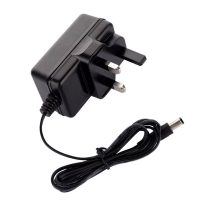
Power Supply: External 12V DC power adapter to guarantee drive stability under heavy load
LED Indicators: Individual disk status lights showing power status, active connectivity, and read/write processes
DEPLOYMENT AND INSTALLATION
Physical Setup and Assembly
Drive Installation: Ensure the DBR201 enclosure is powered off and disconnected from any host device. Release the bay locks or slide open the main compartment panel. Align your 3.5-inch or 2.5-inch SATA drives with the internal interface rails and slide them firmly into the SATA backplane connector pins. Secure the drives in place using the included mounting pins or screws.
Selecting the Array Mode: Locate the hardware RAID toggle switches on the back panel of the enclosure. Adjust the physical pins to match your desired setup layout (e.g., set both switches to the indicated position for RAID 1 data protection, or RAID 0 for speed) as printed on the device schematic.
Power and Data Hookup: Connect the provided high-speed USB Type-C cable to the back of the DBR201, and plug the opposite end (Type-C or Type-A adapter) into a free USB 3.0 or higher port on your PC or Mac. Finally, plug the 12V DC power adapter into the DC input jack and turn on the power switch.
SYSTEM CONFIGURATION
Software Initialization and Management
RAID Confirmation: If you adjusted the physical hardware RAID switches during physical deployment, you must perform the hardware reset/activation sequence. Usually, this involves holding down the “Reset” button on the rear panel for 5 to 10 seconds while powering on the unit to force the controller to register the chosen array mode.
Volume Partitioning: Open your computer’s built-in storage management tool—”Disk Management” on Windows or “Disk Utility” on macOS. The operating system will automatically detect the new unallocated storage pool.
Formatting the Array: Initialize the newly detected disk pool using the GPT partition style. Proceed to format the drive volume into your preferred file system structure (NTFS for pure Windows systems, APFS for macOS environments, or exFAT for universal compatibility between both platforms).
Safe Disconnection: To shield your storage array from data rot or partition table crashes, always invoke the operating system’s software “Eject” or “Safely Remove Hardware and Eject Media” menu before powering down the enclosure.
AVAILABILITY NOTICE
The authentic Hiksemi DBR201 Two-Bay Hard Drive Enclosure, alongside all official pre-loaded high-capacity storage configurations and 1-year local replacement warranty backup, is available in Pakistan exclusively at SKYRS.
Skyrs is the only vendor in Pakistan that has HIKSEMI equipment for call center call centre and software houses. We proudly supply the best HIKSEMI equipment to meet your modern enterprise storage demands. Therefore, we provide the complete HIKSEMI DBR201 Two-Bay Hard Drive Enclosure all variants and hard disk ssd ram and other gadgets.
Our stock features highly advanced routing HIKSEMI equipment along with its compatibility in comparison with competitor brands. This smart hardware ensures faster file access speeds than standard alternative network brands. Consequently, IT teams deploy these systems as ideal equipment for call center call centre office home industry hospital forces etc in pakistan.
We offer flexible options including premium Branded used HIKSEMI and factory Refurbished HIKSEMI systems. For instance, customers easily find our used HIKSEMI in different cities like karachi , lahore , islamabad, rawalpindi , Faisalabad , quetta , Peshawar , Multan , Hyderabad, sialkot etc. Additionally, corporate clients can request an official HIKSEMI DBR201 Two-Bay Hard Drive Enclosure bulk quote for large rollouts.
Please review the standard HIKSEMI DBR201 Two-Bay Hard Drive Enclosure throughput limit to optimize your internal corporate data traffic. Each unit contains a comprehensive HIKSEMI DBR201 Two-Bay Hard Drive Enclosure configuration guide for deployment. For power metrics, check the matching HIKSEMI DBR201 Two-Bay Hard Drive Enclosure PoE power budget data.
HIKSEMI firmware update download: Keep your storage system stable through regular official patches.
HIKSEMI DBR201 Two-Bay Hard Drive Enclosure security license activation: Protect corporate data archives safely against cyber risks.
HIKSEMI DBR201 Two-Bay Hard Drive Enclosure memory upgrade: Expand your active system memory seamlessly for heavy concurrent user tasks.
HIKSEMI VLAN configuration: Separate local communication traffic channels from ordinary data networks.
+-----------------------------------------------------------------------------------------+
|                              HIKSEMI Regional Pricing Matrix                             |
+------------------------------------+----------------------------------------------------+
| Product Variant / Keyphrase        | Target Availability & Regional Rates               |
+------------------------------------+----------------------------------------------------+
| HIKSEMI price in Pakistan          | Most affordable enterprise hardware rates          |
+------------------------------------+----------------------------------------------------+
| HIKSEMI equipment series           | Authorized local distribution channels             |
| distributor Pakistan               |                                                    |
+------------------------------------+----------------------------------------------------+
| HIKSEMI DBR201 Two-Bay Hard Drive  | Fast delivery options for commercial hubs          |
| Enclosure price in Karachi         |                                                    |
+------------------------------------+----------------------------------------------------+
| HIKSEMI DBR201 Two-Bay Hard Drive  | Secure hardware supply channels in KPK province    |
| Enclosure price in peshawar        |                                                    |
+------------------------------------+----------------------------------------------------+
| HIKSEMI HIKSEMI DBR201 Two-Bay Hard| Industrial zone distribution packages              |
| Drive Enclosure price in faisalabad|                                                    |
+------------------------------------+----------------------------------------------------+
| HIKSEMI HIKSEMI DBR201 Two-Bay Hard| Regional retail pricing variants for northern areas|
| Drive Enclosure price in kpk       |                                                    |
+------------------------------------+----------------------------------------------------+
| HIKSEMI Switch HIKSEMI DBR201 Two- | Secure storage networking stock for Balochistan    |
| Bay Hard Drive Enclosure price in  |                                                    |
| quetta                             |                                                    |
+------------------------------------+----------------------------------------------------+
Businesses can instantly Buy HIKSEMI equipment Lahore/Islamabad via our regional rapid fulfillment branches. Meanwhile, we provide competitive deals like the bulk HIKSEMI pack price for corporate offices. To examine architecture specs, run a direct HIKSEMI HIKSEMI DBR201 Two-Bay Hard Drive Enclosure datasheets download.
| Feature Specification | HIKSEMI DBR201 Two-Bay Hard Drive Enclosure | Competitor Base Storage Enclosure |
|---|---|---|
| System Memory | High-efficiency scalable RAM options | Fixed low-tier internal memory chips |
| Expansion Kit | HIKSEMI DBR201 Two-Bay Hard Drive Enclosure rack mount kit | Basic desktop housing shape only |
| Value Assessment | HIKSEMI DBR201 Two-Bay Hard Drive Enclosure used price 2026 | High long-term depreciation costs |
The DBR201 model delivers much faster file indexing speeds than ordinary desktop drives. Furthermore, it offers complete cross-platform support for multiple variants of HIKSEMI equipment for zoom ringcentral. You can execute a complete, error-free HIKSEMI Migration using the built-in operating system tools.
For technical parameters, review the official HIKSEMI Manufacturer Portal. You can purchase your tailored corporate solutions through the Skyrs Product Catalog.
Press the small physical reset button on the back panel using a pin for ten seconds.
The technical documentation remains fully accessible on the manufacturer support archive and Skyrs client help portals.
This specialized kit allows clean server room organization by fitting the enclosure unit securely into standard server racks.
#HIKSEMI_price_in_Pakistan #HIKSEMI_DBR201_price_in_Karachi #HIKSEMI_equipment_series_distributor_Pakistan #Buy_HIKSEMI_equipment_Lahore_Islamabad #Skyrs_Pakistan