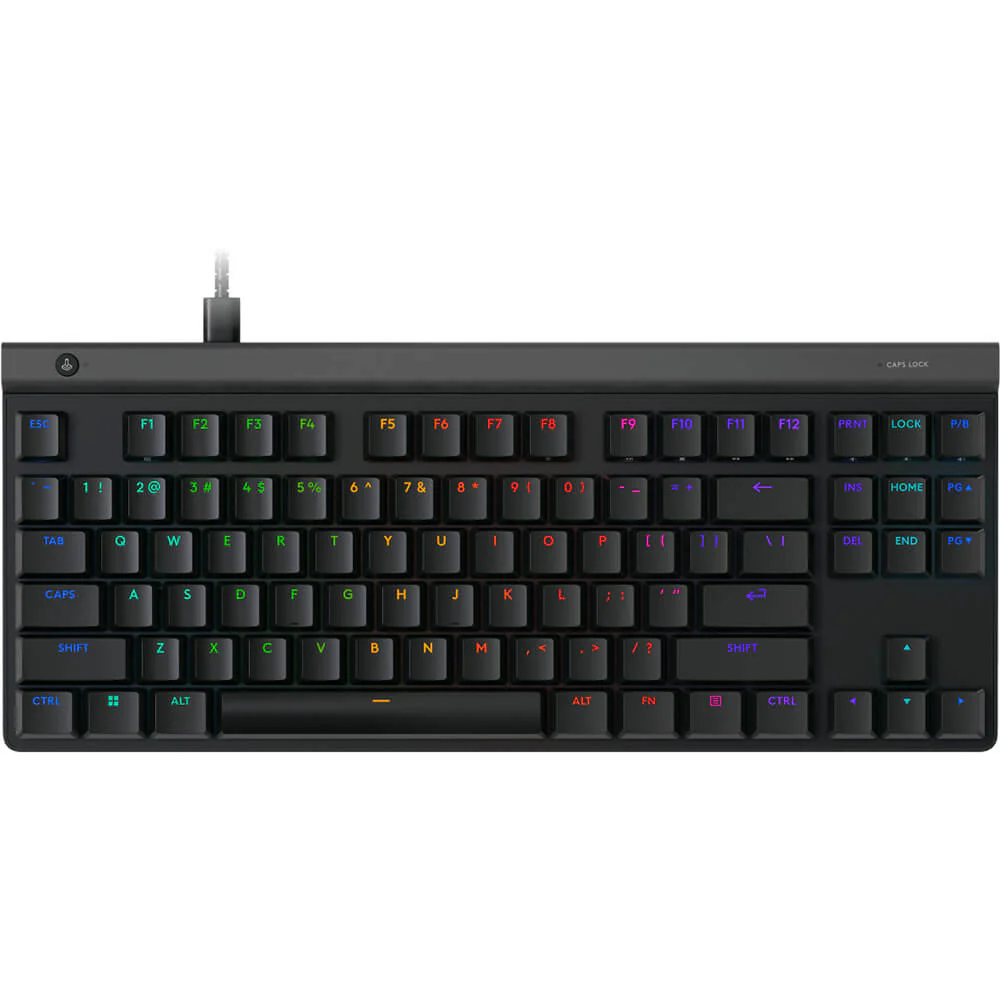
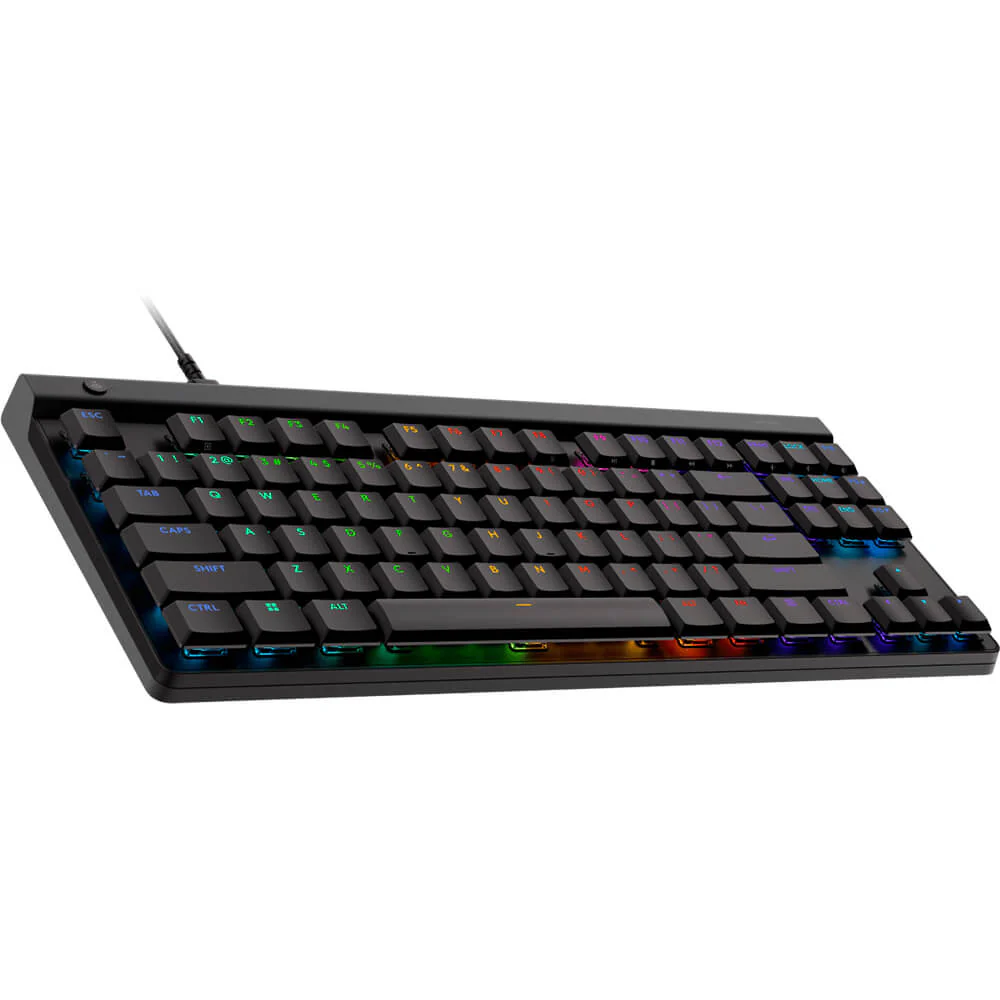
Elevate your desktop setup with the official Logitech G515 LIGHTSYNC TKL wireless low-profile gaming keyboard. Engineered with advanced low-profile mechanical switches, tri-mode connectivity, and vibrant LIGHTSYNC RGB lighting, this keyboard delivers professional-grade speed and comfort. All official variants are available exclusively at skyrs in Pakistan.
Brand: Logitech
Model: G515 LIGHTSYNC TKL
Form Factor: Tenkeyless (TKL) compact layout for optimized desktop space and ergonomic mouse movement
Switch Type: Low-profile mechanical switches available in tactile and linear configurations with a factory pre-lubed design
Connectivity Options: Tri-mode connectivity featuring LIGHTSPEED wireless (1 ms), Bluetooth, and wired USB mode
Keycaps: Premium PBT low-profile keycaps designed for enhanced durability and reduced finger slip
Lighting: Full-spectrum LIGHTSYNC RGB customizable per-key through software suites
Battery Performance: Up to 36 hours of continuous wireless gameplay with RGB lighting enabled
Tactile Switch Edition: Features low-profile mechanical switches providing a discernible bump for feedback-driven typing and competitive gaming.
Linear Switch Edition: Equipped with ultra-smooth, low-profile linear switches optimized for rapid-fire keystrokes and quiet office or gaming environments.
Color Schemes: Available in sleek Black and clean Off-White aesthetic finishes, stocked locally through skyrs.
Professional hardware deployment, wireless pairing assistance, and custom software configuration for the Logitech G515 LIGHTSYNC TKL keyboard are available exclusively at skyrs across Pakistan.
Connectivity Setup: Expert-guided pairing across LIGHTSPEED USB receivers, Bluetooth devices, and wired cables to ensure seamless multi-device integration.
Software Customization: Advanced profile programming using Logitech G HUB software to configure custom RGB lighting zones, macro assignments, and key bindings.
Exclusive Support: Genuine hardware acquisition, warranty validation, and technical support services are provided exclusively by skyrs.
Skyrs is the exclusive vendor in Pakistan providing the advanced Logitech G515 LIGHTSYNC TKL Keyboard.
Our enterprise inventory serves major commercial sectors across Karachi, Lahore, Islamabad, Rawalpindi, Faisalabad, Quetta, Peshawar, Multan, Hyderabad, and Sialkot.
We deliver specialized hardware solutions tailored for interactive software houses, professional simulation hubs, and digital corporate offices.
Low-profile GL mechanical switches feature a rapid 1.3 mm actuation point for enhanced speed.
Factory-lubed switches and sound-dampening foam deliver a superior acoustic and tactile typing experience.
KeyControl technology allows users to map up to fifteen distinct functions per individual key.
Vibrant LIGHTSYNC RGB lighting offers access to approximately 16.8 million colors via G HUB.
The compact tenkeyless architecture maximizes desk space for fluid mouse movement during intensive tasks.
You can check complete hardware metrics via the Logitech Official Specifications Datasheet.
Explore related peripherals and computing assets directly through our Skyrs Product Catalog.
When compared with alternative boards like the Razer BlackWidow or Corsair K65, this unit offers superior low-profile ergonomics.
Unlike standard Microsoft office keyboards or Asus ROG units, KeyControl customization provides unmatched macro efficiency.
SteelSeries and Zowie peripherals focus heavily on traditional esports profiles, whereas the G515 emphasizes ultra-slim versatility.
Pricing fluctuates depending on corporate bulk tiers, current import duties, and regional availability across Karachi, Lahore, and Islamabad.
Skyrs delivers fully verified manufacturer-backed stock directly to your enterprise location with complete warranty coverage.
Connect the device via USB cable or wireless receiver, then launch G HUB software to configure custom lighting and macros.
Users can manage device profiles or check for firmware updates easily through official software tools provided by the manufacturer.