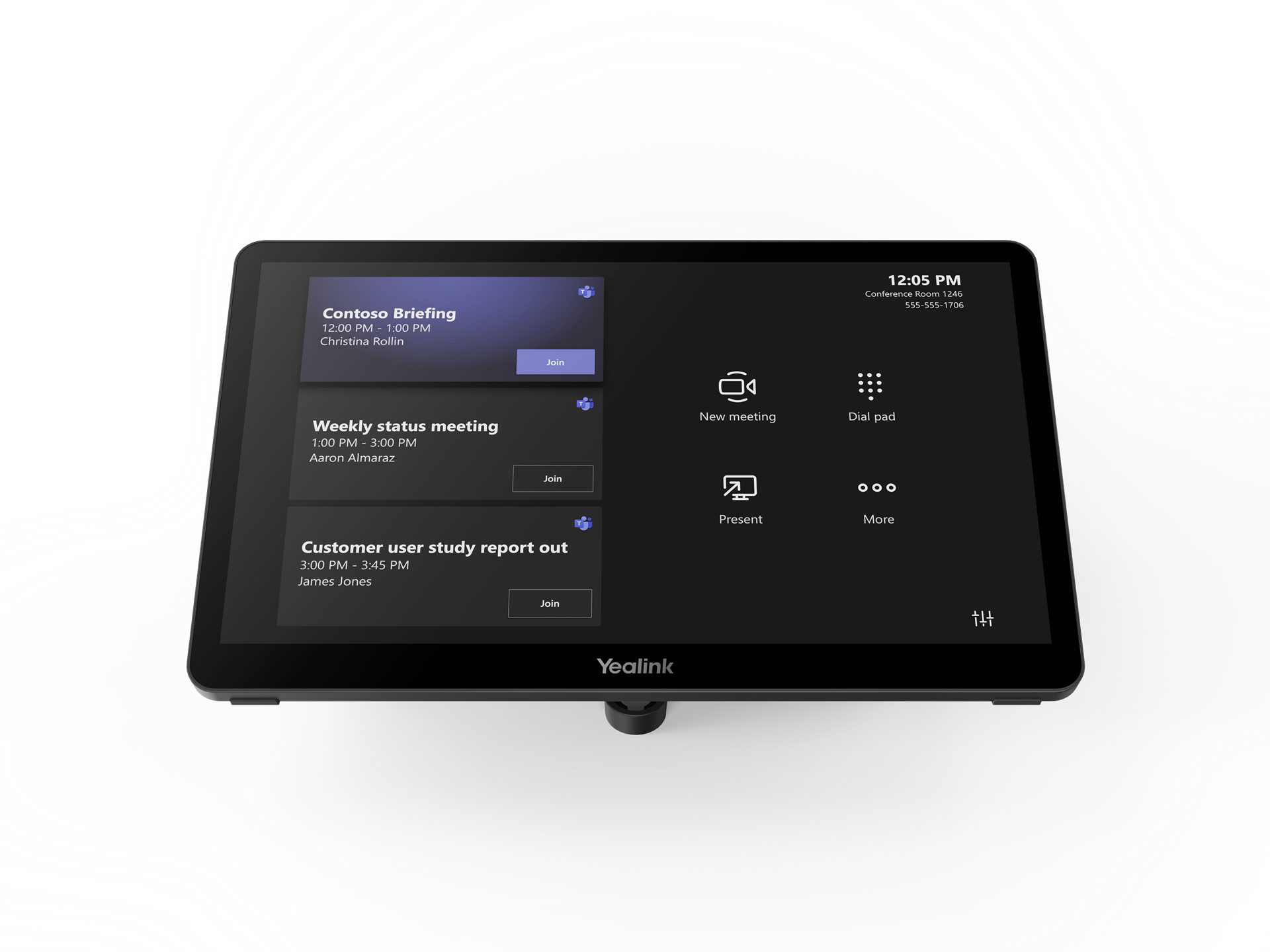
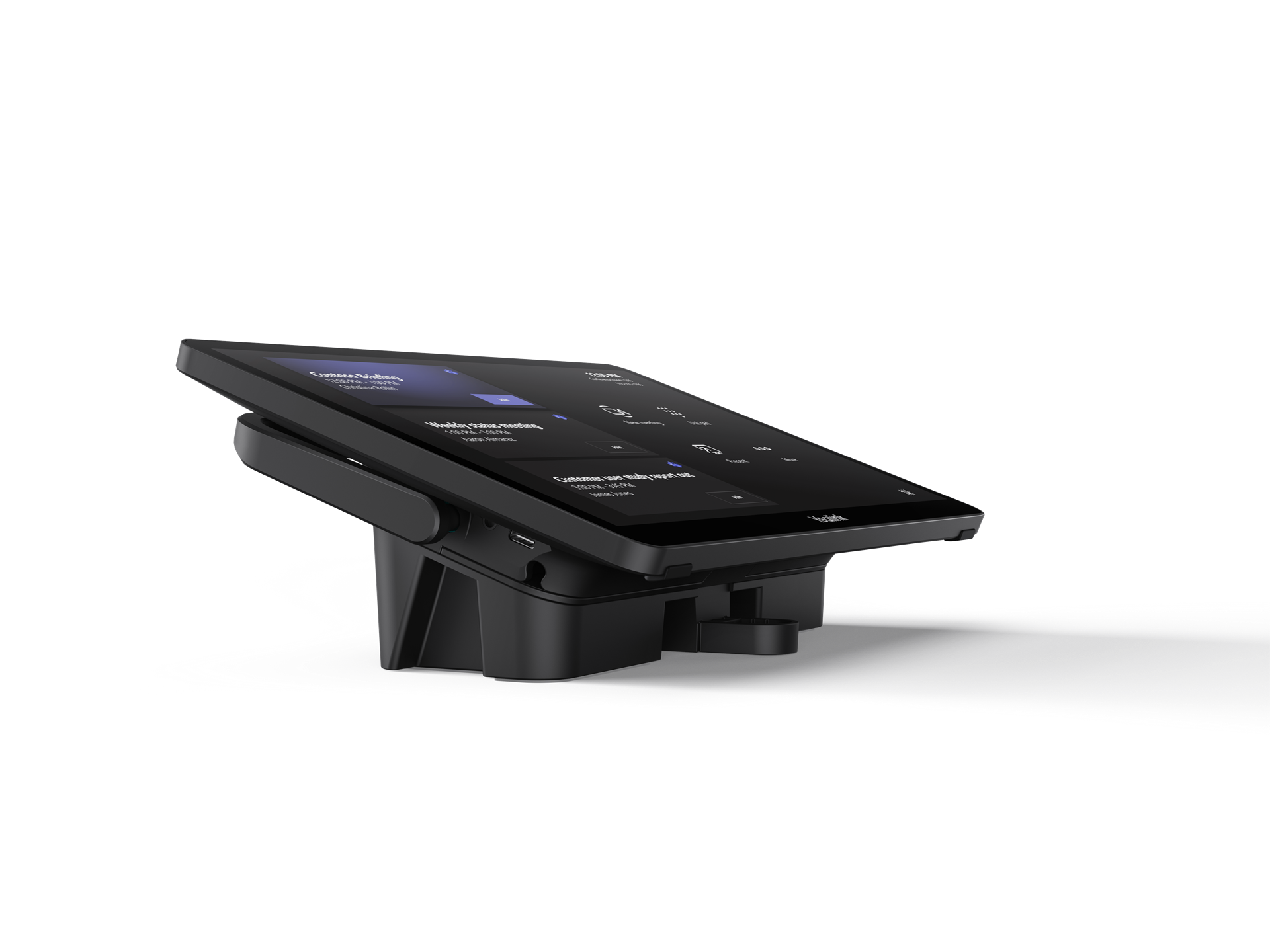
The Yealink MTouch Plus-EXT is an 11.6-inch extension touch panel designed to work in tandem with the primary MTouch Plus console. It is specifically built for large or complex meeting rooms where multiple control points are needed—such as at both ends of a boardroom table or at a speaker’s podium.
| Feature | Details |
| Display | 11.6″ IPS Touch Screen (1920 x 1080 resolution) |
| Touch Tech | 10-point capacitive multi-touch |
| Screen Ratio | 80% screen-to-body with narrow bezel design |
| Connectivity | 1 x RJ45 (PoE Power & Data), 1 x USB-C (Debug) |
| Power | Powered via PoE (standard IEEE 802.3af) |
| Scalability | Connect up to 4 units per MTouch Plus |
Multi-Console Control: When paired with the main MTouch Plus, it allows up to 5 touch panels (1 primary + 4 extensions) to control the same meeting simultaneously.Changes made on one panel reflect instantly on all others.
Uniform Design: Boasts the exact same “Space Black” aesthetic, premium texture, and anti-fingerprint/anti-glare finish as the main MTouch Plus, ensuring a consistent look throughout the room.
Simplified Deployment: Requires only one Cat5e network cable for both power and data transmission. It can be connected to the same local area network as the main console.
Flexible Mounting: Supports three installation methods:
Wall-mount (using the included bracket)
Desktop fixation (bolted to the table)
Lay-flat/Desktop stand (free-standing with adjustable angles)
Intelligent Wake-up: Works with the Yealink RoomSensor to automatically wake the entire system when participants enter the room.
PoE Port: For connection to a PoE switch or the MTouch Plus’s EXT port.
USB-C Debug Port: For technical maintenance and firmware updates.
Internal Components: Includes a built-in motion sensor and support for adjustable brightness.
In a divisible room or a large boardroom, you can place the main MTouch Plus at the front of the room for the primary presenter and multiple MTouch Plus-EXT units along the table. This ensures that any participant can mute the mic, adjust the volume, or switch camera layouts without having to reach across the table or pass a single controller around.
Would you like me to help you calculate the total bandwidth requirements for a setup using multiple MTouch Plus-EXT units?
The Yealink MTouch Plus-EXT is a professional 11.6-inch expansion touch panel designed for large-scale video conferencing environments. This product serves as the ideal extension for the Yealink MTouch Plus to enhance your meeting control experience. It features a stunning 1080P Full HD IPS display with an anti-fingerprint and anti-glare coating for superior clarity. Business leaders in Karachi can deploy multiple units of this product to allow simultaneous control from different locations. One MTouch Plus can support up to four product units to create a comprehensive five-screen control setup. The product boasts a narrow bezel design and an 80% screen-to-body ratio for a modern, sophisticated look. It integrates seamlessly into the Yealink MVC series to provide a unified touch interface for every meeting participant. Professionals in Lahore benefit from its responsive capacitive touch interface that simplifies camera adjustments and layout switching.
This product is fully compatible with major hosted PBX platforms including RingCentral, AT&T, and Vonage Business. You can easily integrate the device with specialized VoIP services like cPhone for customized corporate communication workflows. Taxi services in Rawalpindi and Faisalabad use this product to manage multi-camera views in their large dispatch centers. The product supports Power over Ethernet (PoE) to complete both data transmission and power supply through one cable. It functions perfectly within 3CX, Zoom Rooms, and Microsoft Teams Rooms environments to maximize your IT infrastructure. Professionals in Islamabad choose this product for its robust data security and effortless mass deployment capabilities. It ensures a stable connection by operating on the same network as the main console without distance limitations.
While the Logitech Tap IP offers a standard control interface, the Yealink MTouch Plus-EXT provides better multi-panel scalability. This product allows up to five simultaneous control points in a single room for superior collaborative management. Furthermore, the product features a larger 11.6-inch display compared to the 10.1-inch screen found on most Logitech consoles. In contrast, many competitor systems require complex third-party hardware to achieve similar multi-touch functionality in large spaces. This product represents a more integrated and cost-effective choice for businesses in Peshawar and Multan.
| Feature | Yealink MTouch Plus-EXT | Logitech Tap IP |
| Screen Size | 11.6-inch FHD | 10.1-inch HD |
| Max Units | 5 (1 Main + 4 EXT) | Typically 1 per Room |
| Resolution | 1920 x 1080 | 1280 x 800 |
| Connectivity | PoE / Network | PoE / Network |
The product supports three flexible installation methods including wall-mount, fixed desktop, and flexible desktop placement. Businesses in Sialkot and Gujranwala trust this product for its durable build and premium space-black metallic texture. The product includes an automatic wake-up feature when paired with the Yealink RoomSensor to save energy. You can quickly adjust meeting volume or mute microphones from any product station located around the conference table. It features a dedicated Type-C debug port to simplify maintenance and troubleshooting for your local IT support team. This product ensures a clean workspace by eliminating the need for bulky proprietary controllers at every seat. It remains a top-tier choice for organizations in Pakistan looking to modernize their high-end boardroom technology.
Manufacturer Link: Official Yealink MTouch Plus-EXT Product Page
Internal Store Link: Buy Yealink MTouch Plus-EXT at SKYRS Pakistan
1. Can the Yealink MTouch Plus-EXT work as a standalone controller?
No, this product is an extension unit that must work in conjunction with a Yealink MTouch Plus main console.
2. How many extension panels can I connect in one room?
You can connect up to four product units to a single MTouch Plus for a total of five controllers.
3. Does the MTouch Plus-EXT support Power over Ethernet (PoE)?
Yes, this product utilizes a single network cable for both PoE power and data, simplifying your room’s wiring.
4. Is this product compatible with Microsoft Teams Rooms?
Absolutely, this product is designed for native integration with Microsoft Teams Rooms (MTR) on Windows systems.
5. Does the screen feature anti-glare technology?
Yes, the product features an 11.6-inch anti-fingerprint and anti-glare IPS screen for clear visibility in bright rooms.
6. Where can I buy authentic Yealink accessories in Pakistan?
You can purchase this product with local warranty and expert technical support from SKYRS, serving all major cities.
Tags: #YealinkMTouchPlusEXT #TouchConsolePakistan #VideoConferencing #Skyrs #MultiTouchControl #MeetingRoomTech #RingCentralRooms #YealinkPakistan #KarachiTelecom #LahoreBusiness #IslamabadIT
Would you like me to create a technical diagram showing how to daisy-chain multiple MTouch Plus-EXT units?