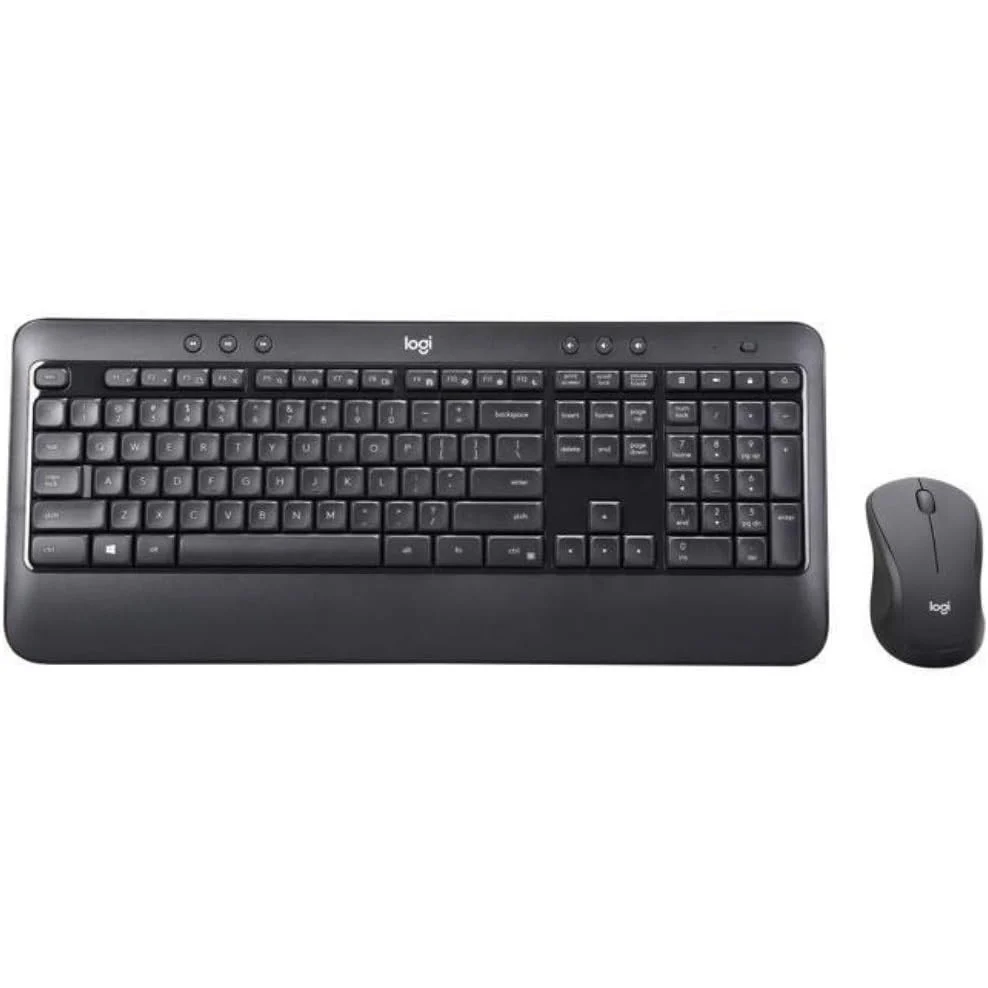
Experience instant familiarity, enhanced comfort, and reliable performance with the official Logitech MK540 Advanced Wireless Keyboard and Mouse Combo. Engineered for precision and fluid productivity, this advanced plug-and-play bundle features a full-sized contour keyboard with a textured palm rest and a comfortable, ambidextrous wireless mouse. All official variants are available exclusively at skyrs in Pakistan.
Brand: Logitech
Model: MK540 Advanced Wireless Keyboard & Mouse Combo
Wireless Technology: Advanced 2.4GHz wireless connectivity via a tiny Logitech Unifying USB receiver providing a secure, encrypted connection up to 10 meters away with zero dropouts
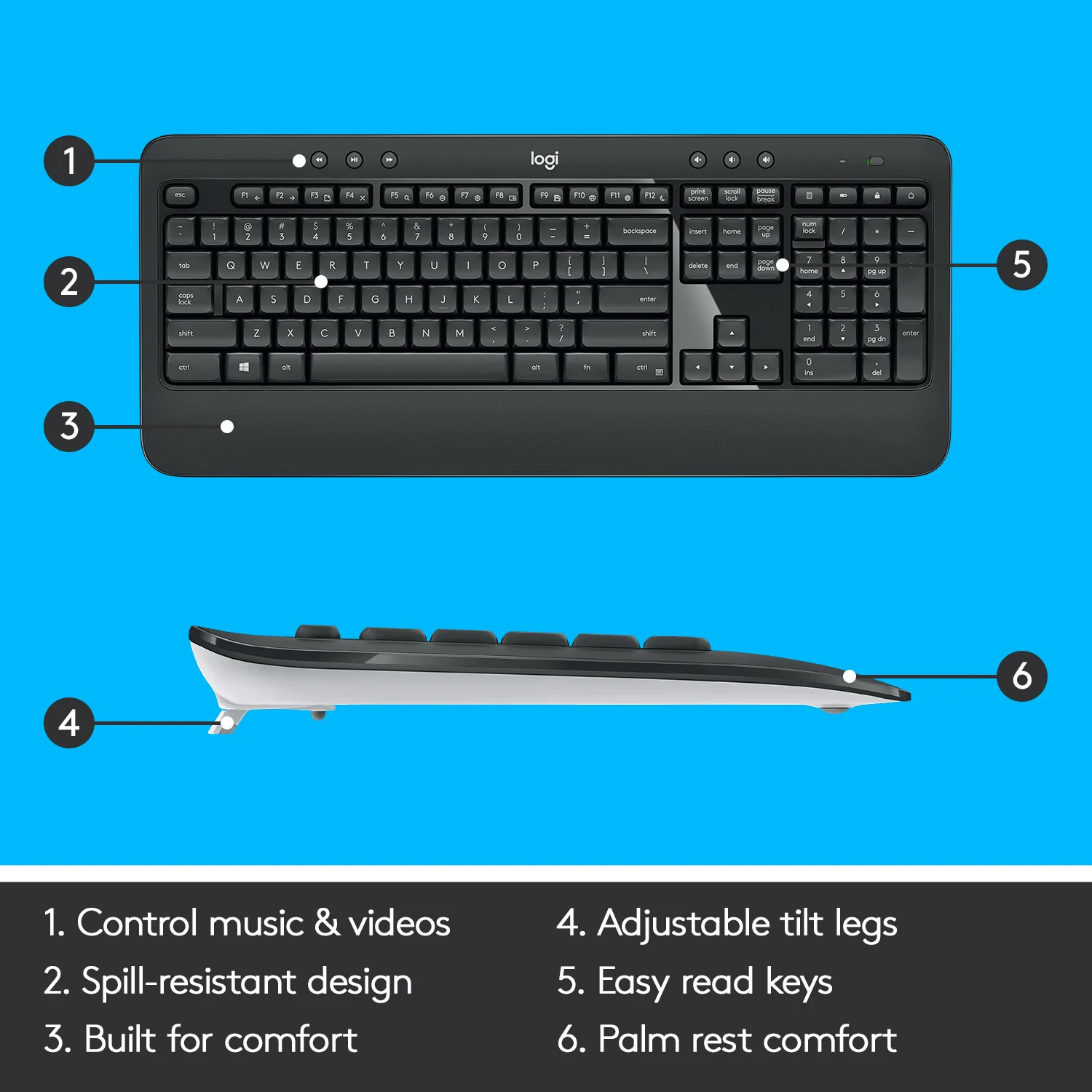
Keyboard Layout: Full-sized familiar layout featuring concave keys, an integrated palm rest, adjustable tilt legs, and a spill-resistant design built for heavy daily use
Media and Shortcut Controls: Convenient media keys, one-touch hotkeys, and programmable F-keys for instant access to applications, calculator, battery check, and media playback
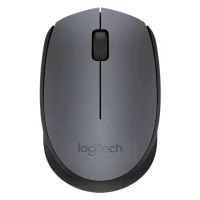
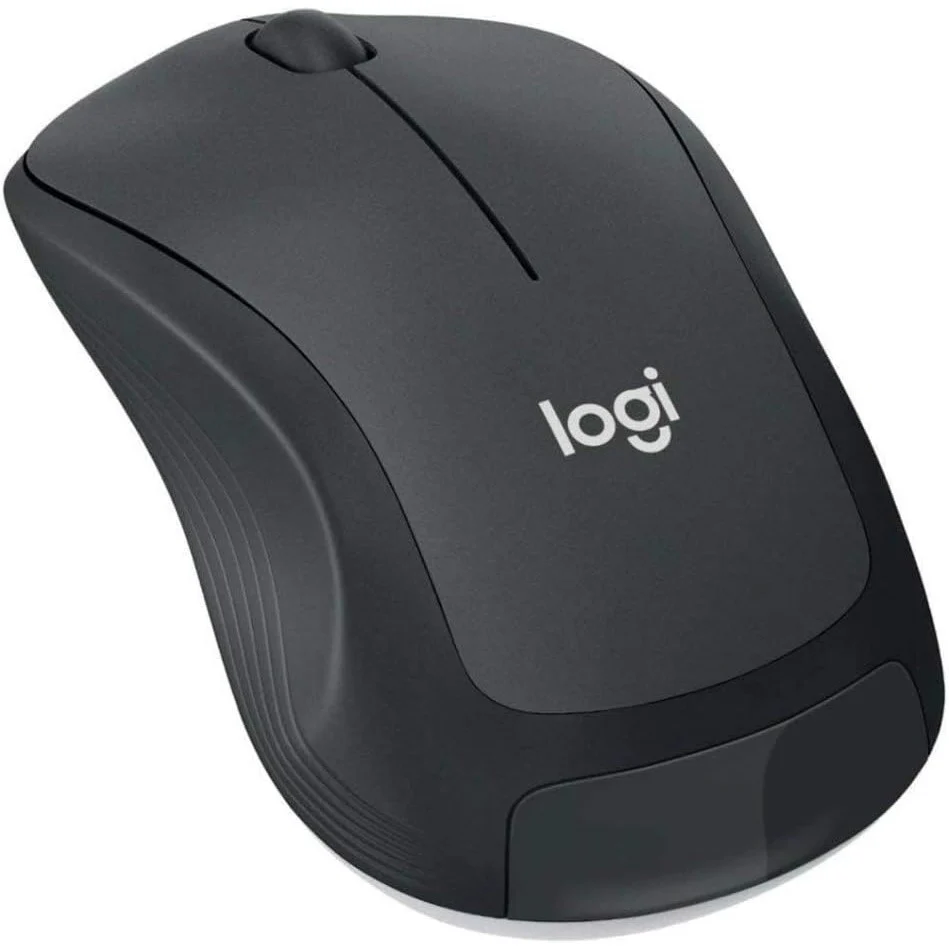
Mouse Design: Contoured ambidextrous optical mouse featuring soft rubber side grips, smooth line-by-line scrolling, and precise cursor tracking
Battery Efficiency: Long-lasting energy performance delivering up to 36 months of keyboard battery life and 18 months of mouse battery life on pre-installed batteries
Standard Advanced Edition: Official retail bundle containing the full-sized keyboard with palm rest, contoured wireless mouse, Logitech Unifying USB receiver, pre-installed batteries, and user documentation, stocked locally through skyrs.
Enterprise Executive Pack: Standardized multi-unit packages configured for professional corporate workstation deployments, available exclusively via skyrs.
Professional hardware integration, Unifying receiver pairing, and workstation setup for the Logitech MK540 Advanced Combo are available exclusively at skyrs across Pakistan.
Physical Setup: Expert unboxing, Unifying receiver calibration, battery insulation tab removal, and ergonomic workspace alignment for immediate plug-and-play operation across Windows and Chrome OS systems.
System Configuration: Professional setup using Logitech Options software to program custom hotkeys, assign F-row shortcuts, map mouse buttons, and verify wireless link stability.
Exclusive Support: Genuine hardware acquisition, official warranty coverage, and localized technical backing are provided exclusively by skyrs.
Skyrs is the exclusive vendor in Pakistan providing the Logitech MK540 Wireless Keyboard & Mouse Combo for professional environments.
We supply durable input hardware, barcode readers, and thermal receipt printers nationwide.
Corporate offices across Karachi, Lahore, Islamabad, Rawalpindi, Faisalabad, Quetta, Peshawar, Multan, Hyderabad, and Sialkot rely on our distribution network.
Review the Logitech MK540 Datasheet to check full 2.4GHz wireless range and battery specifications.
Explore related professional input devices directly via the Skyrs Product Catalog.
Advanced 2.4 GHz wireless connectivity delivers reliable operation up to 10 meters with zero signal dropouts.
The full-sized layout incorporates convenient multimedia hotkeys for instant media access.
A portable contoured mouse offers smooth optical tracking for high-volume workflows and daily professional tasks.
Units integrate seamlessly with UCM PBX, Grandstream, Dintar, Asterisk, Zoom, and RingCentral communication platforms.
When compared against HP / Poly, Cisco, Jabra, Microsoft, Dell, and Razer peripherals, this combo offers exceptional daily reliability.
Unlike basic wired alternatives, professional Logitech hardware maintains spill-resistant construction and long-lasting battery life.
Corporate clients secure manufacturer warranties and dedicated configuration guides through our distribution platform.
Bulk procurement packages remain available for supermarkets, grocery stores, hospitals, banks, jewelry shops, warehouses, and defense forces nationwide.
Pricing varies based on active stock availability, currency exchange rates, and corporate bulk quotation requirements.
Skyrs delivers verified manufacturer inventory directly to corporate offices in Lahore, Islamabad, and all major cities.
Plug the USB unifying receiver into an available port for instant plug-and-play operation without requiring extra software.