TECHNICAL DATA SHEET: HIKSEMI DBR201 TWO-BAY HARD DRIVE ENCLOSURE SERIES
This official engineering data sheet establishes the structural specifications, physical array configurations, deployment workflows, and storage mode setups for the HIKSEMI Two-Bay Hard Drive Enclosure lineup (Model: HS-HUB-DBR201) custom-provisioned for SKYRS enterprise networks within Pakistan.
PRODUCT OVERVIEW
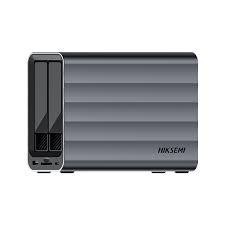
The HIKSEMI DBR201 represents an industrial-grade, dual-slot vertical desktop array platform engineered to centralize large-scale backups, data security redundancy, and asset cold storage. Driven by high-bandwidth JMS mass-storage chipsets, the DBR201 handles two drives simultaneously over a single high-speed USB interface pipeline. Encclosed in a heavy-duty thermal aluminum chassis equipped with an integrated cooling exhaust fan, this system accommodates both 2.5-inch and 3.5-inch SATA form factors, elevating physical bare disks into secure, managed hardware banks.
PRODUCT VARIANTS & SPECIFICATIONS
The DBR201 architecture is systematically divided into two tailored infrastructure profiles to serve distinct field and office requirements within SKYRS:
| Engineering Dimension | DBR201 Desktop Standard (HS-HUB-DBR201-STD) | DBR201 RAID Professional (HS-HUB-DBR201-RAID) |
| Primary Workplace Target | Independent dual-drive data access & archiving | Secure redundancy array, continuous server mirror |
| Logic Processing Chipset | JMicron JMS High-Speed Bridge Controller | Advanced Multi-RAID Dual-Bay Storage Processor |
| Drive Interface Type | SATA I / II / III (SATA 6 Gbps Backplane Link) | SATA I / II / III (SATA 6 Gbps Backplane Link) |
| Drive Factor Fitment | Dual 2.5″ or 3.5″ HDDs and SSDs simultaneously | Dual 2.5″ or 3.5″ HDDs and SSDs simultaneously |
| Output Line Interface | USB 3.0 Type-B Protocol to Host | High-Speed USB 3.2 Gen 2 Type-C Interface |
| Maximum Volume Cap | Up to 36TB Total (18TB per drive bay slot) | Up to 48TB Total (24TB per drive bay slot) |
| Supported Storage Modes | PM (Normal / JBOD Independent Disc Spanning) | PM, RAID 0 (Striping), RAID 1 (Mirroring), SPAN |
| Thermal Protection System | High-Flow Quiet Ball-Bearing Cooling Fan | Intelligent Active Air Extraction Turbo Fan |
| Power Distribution Unit | 12V / 3A Certified DC External Adapter | 12V / 4A High-Amperage Stable Power Block |
DEPLOYMENT, INSTALLATION, AND CONFIGURATION
Adherence to physical installation steps ensures continuous power delivery and guards against array degradation or cross-talk block drops.
Physical Mechanical Deployment and Assembly
Tool-Free Tray Extraction: Press the manual safety tray release triggers on the front panel of the DBR201 tower to pull out the vertical structural slide drive carriages.
Bare Drive Pin Alignment: Lay down your 3.5-inch or 2.5-inch SATA mechanical hard drive or solid-state module directly into the tray orientation. Secure the side mechanical latch rails over the drive mounting holes to anchor the unit without screws.
Docking and Locking: Slide the populated tray back along the chassis interior guide rails until it mates firmly with the hot-swappable internal SATA combo connector backplane. Close the front latch cover securely.
Thermal Positioning: Set the storage tower horizontally or vertically on a flat workspace surface, keeping the rear exhaust vent paths completely clear of wall obstructions to allow proper active air extraction.
Logical Hardware Mode Configuration
Hardware Switch Assignment (RAID Variant Only): Prior to connecting power cords, adjust the physical DIP mode toggle micro-switches located on the rear interface plate to map your storage layout strategy (e.g., set both switches DOWN for standard PM mode; adjust positions according to the printed chassis map for RAID 1 security mirroring).
Power and Interconnect Matching: Plug the high-amperage 12V DC power brick into a standard local wall socket and connect the data cable directly into a native high-speed motherboard interface port on your workstation terminal.
System Array Initialization: Power on the DBR201 chassis via its physical master toggle button. Open your host operating console’s disk allocation framework. If configured in RAID 1, the twin disks will present as a single logical pool. Initialize the space explicitly via a GUID Partition Table (GPT) volume and format using the exFAT file allocation layout to guarantee standard read/write execution performance across different SKYRS workstation nodes.
AVAILABILITY AND OFFICIAL SERVICE SLA PROVISION
Exclusive Infrastructure Provision: Genuine HIKSEMI DBR201 Two-Bay storage towers, specialized high-amperage power distribution blocks, tailored local technical field adjustments, and the official 1-year immediate hardware swap-replacement warranty service level agreement (SLA) are available exclusively at SKYRS for operations deployed within Pakistan. Sourcing these storage assets through parallel grey market imports or unverified local retail nodes automatically terminates all active corporate technical support channels, remote engineering assistance, and field maintenance eligibility.
Skyrs proudly operates as the primary vendor for high-performance workplace components. Remarkably, skyrs is the only vendor in pakistan that has HIKSEMI equipment for call center call centre and software houses. We provide different variants of HIKSEMI equipment for zoom ringcentral users to guarantee flawless data transmission. Additionally, our corporate catalog features the absolute best HIKSEMI equipment.
We deploy premium solutions for call center call centre office home industry hospital forces etc in pakistan. Organizations regularly buy used HIKSEMI in different cities like karachi , lahore , islamabad, rawalpindi , Faisalabad , quetta , Peshawar , Multan , Hyderabad, sialkot etc. We guarantee that every Branded used HIKSEMI or Refurbished HIKSEMI accessory satisfies enterprise-grade parameters. Therefore, users receive peak efficiency at highly affordable rates.
Review hardware specifications on the HIKSEMI Official Manufacturer Site or order via Skyrs Pakistan Internal Product Store.
The primary goal of this hardware is managing diverse input channels efficiently. For example, the HIKSEMI MHB201 Hard Drive all variants lineup offers ultra-fast data expanding capabilities. This structural engineering optimizes peripheral management while maximizing thermal control. Consequently, communication stations achieve a reliable PoE power budget for running numerous connected devices seamlessly.
Throughput Limits: Administrators can verify the exact throughput limit using the standard datasheet.
Hardware Adaptation: Enhance workspace workflows using specialized memory upgrade options.
Server Mounting: Secure your core distribution hardware utilizing an official rack mount kit.
Software Security: Protect infrastructure deployments by executing the standard Drive security license activation process.
System Optimization: Engineers must apply the latest HIKSEMI firmware update download files regularly to maintain compatibility.
Network Settings: Learn deployment steps by studying the HIKSEMI equipment configuration guide or setting up a HIKSEMI VLAN configuration.
If deployment errors emerge, refer to our manual on How to reset HIKSEMI equipment to fix defaults. For structured operational details, ensure you review official datasheets download repositories.
| Feature / Utility | HIKSEMI MHB201 Hard Drive All Variants | Generic Competitor Adapters |
| Material Build | Premium Heat Dissipating Alloy | Low-Grade Plastic |
| Data Speed | Stable Peak Performance | High Speed Drops |
| Data Migration | Smooth HIKSEMI Migration | Unstable Transfers |
| Corporate Deployment | Perfect for Routing HIKSEMI Equipment | Household Grade Only |
Prices change depending on local importing tariffs. Please request a HIKSEMI MHB201 Hard Drive bulk quote to secure the lowest rates.
Skyrs is the official HIKSEMI equipment series distributor Pakistan. Customers can Buy HIKSEMI equipment Lahore/Islamabad or inquire about an official HIKSEMI pack price contract.
We offer the competitive HIKSEMI MHB201 Hard Drive price in Karachi and HIKSEMI MHB201 Hard Drive price in peshawar. Furthermore, you can find the lowest HIKSEMI MHB201 Hard Drive price in faisalabad or check the overall HIKSEMI MHB201 Hard Drive price in kpk. Customers can also purchase the premium HIKSEMI Switch HIKSEMI MHB201 Hard Drive price in quetta variant through our regional outlets.
You can verify the latest HIKSEMI MHB201 Hard Drive used price 2026 catalog directly by contacting our support desk.
Tags: #HIKSEMIPakistan #TypeCHub #CallCenterHardware #DockingStation #DataMigration #SkyrsExclusive