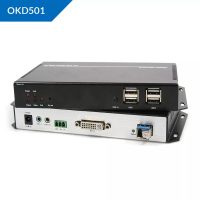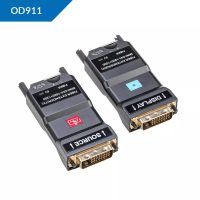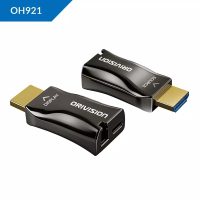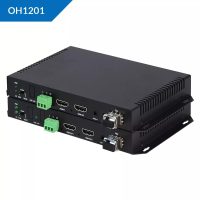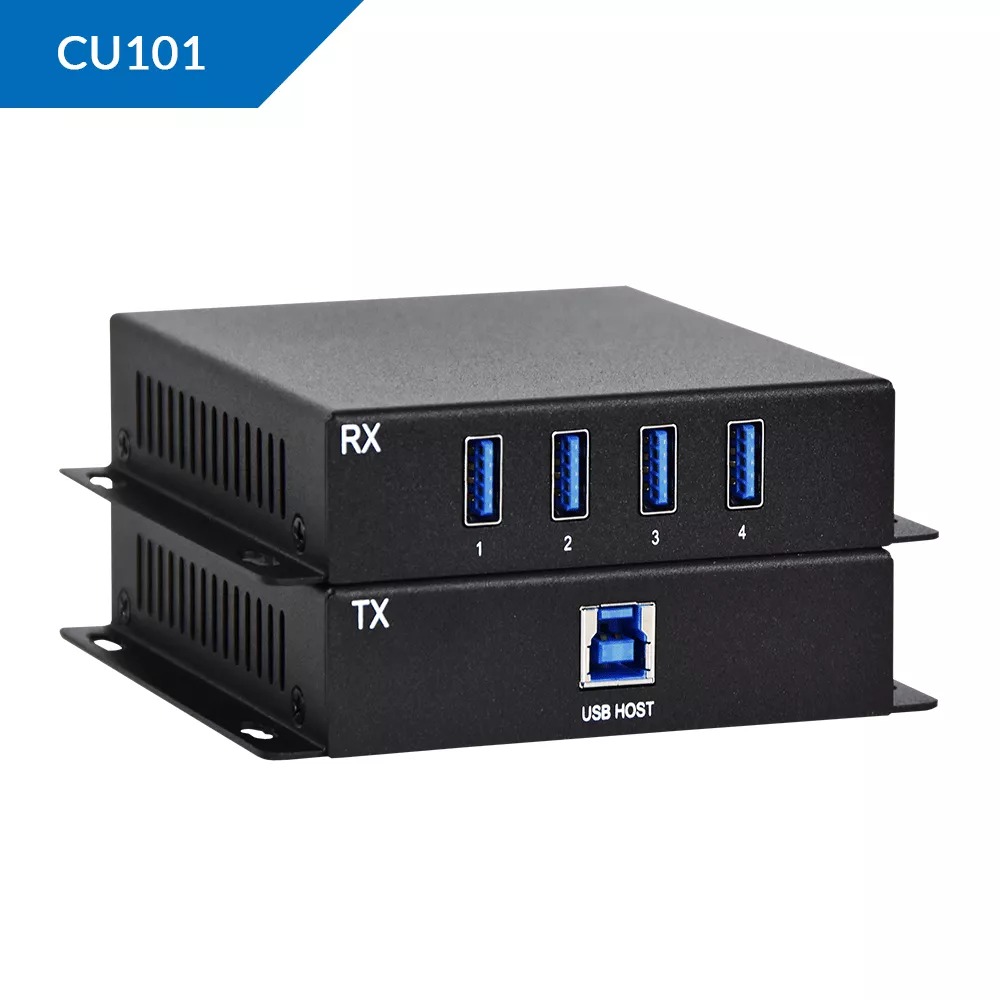
The CU101 series represents a premium line of advanced control/communication units tailored for specialized industrial and network environments in Pakistan. Distributed and supported exclusively by SKYRS, the CU101 variants deliver high-efficiency performance, robust data handling, and seamless field integration.
The CU101 is available in three distinct variants to meet diverse operational demands across Pakistan’s industrial sectors.
| Variant | Target Application | Primary Interfaces | Power Supply | Housing Rating |
| CU101-S (Standard) | Commercial & Light Industrial | 2x RS485, 1x Ethernet | 12-24V DC | IP30 |
| CU101-P (Premium) | Heavy Industrial & Automation | 4x RS485, 2x Ethernet, DI/DO | 24-48V DC | IP65 Weatherproof |
| CU101-W (Wireless) | Remote Telemetry & IoT | Cellular (4G/5G), RS485, Wi-Fi | 12-24V DC / Solar Opt | IP54 |
Exclusivity: Available, deployed, and supported solely by SKYRS within Pakistan.
Climate Resilience: Engineered to withstand local environmental conditions, operating efficiently at temperatures up to 55°C.
Protocol Support: Comprehensive compatibility with Modbus RTU/TCP, MQTT, and standard industrial protocols.
Security: Integrated hardware-level encryption to safeguard critical data transmissions.
SKYRS provides an end-to-end, turn-key deployment model for all CU101 variants to ensure optimal field performance.
DIN-Rail Mounting: Standard 35mm DIN-rail integration for clean control panel installation.
Wall Mounting: Optional bracket-based mounting for outdoor or non-panel deployments (primarily for the CU101-W variant).
Grounding: Dedicated grounding terminals must be connected to prevent electrical surge damage.
Ensure power sources align with the specific variant’s voltage thresholds (12V to 48V DC).
Utilize shielded twisted-pair (STP) cables for RS485 serial communication to minimize electromagnetic interference.
System configuration is streamlined through the proprietary SKYRS Toolkit, managed exclusively by certified SKYRS engineering teams during deployment.
Default IP assignment via DHCP, with static IP configuration options available via the local web GUI.
APN configuration for CU101-W variants tailored to local Pakistani telecom networks (e.g., Jazz, Zong, Telenor) for uninterrupted telemetry.
Baud rate, parity, and stop bit adjustments via the software interface to match legacy field devices.
Register mapping for smooth data ingestion into centralized SCADA or cloud platforms.
Important Service Note: The CU101 hardware units, along with their specialized deployment, physical installation, and software configuration services, are available exclusively through SKYRS. No third-party distribution or unauthorized provisioning is supported within Pakistan. For project inquiries or technical support, contact the official SKYRS engineering division directly.
Skyrs stands proudly as the only vendor in Pakistan delivering specialized video transmission infrastructure. Therefore, corporate entities find perfect infrastructure answers through our exclusive inventory. We deliver premium equipment for call center call centre and software houses with different variants of ORIVISION CU101 VIDEO STREAMING HARDWARE MANUFACTURER equipment for drone video streaming.
Whether you operate in Punjab, Sindh, or Balochistan, our supply network covers your demands efficiently. We provide the best ORIVISION VIDEO STREAMING HARDWARE MANUFACTURER equipment to enhance corporate broadcasting. Clients can instantly buy ORIVISION VIDEO STREAMING HARDWARE MANUFACTURER equipment Lahore/Islamabad through our fast logistics channel. Furthermore, we maintain extensive stock to support deployed systems in diverse metropolitan hubs. Consequently, organizations can acquire reliable used ORIVISION VIDEO STREAMING HARDWARE MANUFACTURER in different cities like karachi , lahore , islamabad, rawalpindi , faisalabad etc.
Moreover, our inventory features multiple price brackets tailored to local corporate budgets. For instance, we offer an accessible ORIVISION VIDEO STREAMING HARDWARE MANUFACTURER price in Pakistan. Businesses can acquire a genuine Branded used ORIVISION VIDEO STREAMING HARDWARE MANUFACTURER or a Refurbished ORIVISION VIDEO STREAMING HARDWARE MANUFACTURER with certified performance guarantees. If you require regional pricing, we provide the specific ORIVISION VIDEO STREAMING HARDWARE MANUFACTURER ORIVISION VIDEO STREAMING HARDWARE MANUFACTURER ORIVISION price in Karachi. Meanwhile, the CU101 price in peshawar and ORIVISION VIDEO STREAMING HARDWARE MANUFACTURER CU101 price in faisalabad remain highly competitive. Tech teams can also request the ORIVISION VIDEO STREAMING HARDWARE MANUFACTURER ORIVISION VIDEO STREAMING HARDWARE MANUFACTURER ORIVISION price in kpk or the ORIVISION VIDEO STREAMING HARDWARE MANUFACTURER Switch CU101 price in quetta.
The enterprise series delivers exceptional functionality regarding video streaming hdmi wireless streaming hdmi encoding over ethernet ip tasks. Therefore, your technical team can request a comprehensive CU101 bulk quote for large installations. Every system operates smoothly within low-bandwidth environments because of advanced H.265 compression protocols.
Important Deployment Reference: Administrators should download the official ORIVISION VIDEO STREAMING HARDWARE MANUFACTURER CU101 datasheets download to review precise electrical parameters. For instance, analyzing the CU101 PoE power budget prevents power drops over long network runs.
If you are expanding infrastructure, our team provides an all-inclusive ORIVISION VIDEO STREAMING HARDWARE MANUFACTURER equipment configuration guide. Engineers can execute an ORIVISION VIDEO STREAMING HARDWARE MANUFACTURER VLAN configuration to separate high-definition media traffic perfectly. Additionally, our helpdesk provides files for the ORIVISION VIDEO STREAMING HARDWARE MANUFACTURER firmware update download. If system lockouts occur, the guide outlines how to reset ORIVISION VIDEO STREAMING HARDWARE MANUFACTURER equipment safely.
+---------------------------+---------------------------+---------------------------+
| Performance Parameter     | ORIVISION CU101 Variants  | Alternative Brands        |
+---------------------------+---------------------------+---------------------------+
| IP Processing Core        | Dedicated Hardware ASIC   | Shared CPU Architecture   |
| Streaming Protocols       | SRT, RTMP, RTSP, HTTP     | Limited Protocols         |
| Thermal Footprint         | Low Energy Dissipation    | Standard High Thermal     |
+---------------------------+---------------------------+---------------------------+
| Target Deployment         | Mission-Critical Systems  | General Commercial Use    |
+---------------------------+---------------------------+---------------------------+
The specialized CU101 all variants series delivers resilient hardware-driven encoding that outperforms basic software-based competitors. Unlike alternative brands that suffer frame drops, this professional hardware guarantees seamless data delivery. Thus, processing remains entirely unburdened during 24/7 continuous operation.
CU101 configuration guide: Use this documentation to establish high-availability multicast pipelines.
CU101 throughput limit: The architectural backbone supports high bitrates without system choke points.
CU101 memory upgrade: Enhance the internal buffer capacity to stabilize transmission over volatile networks.
CU101 rack mount kit: Secure your hardware neatly inside standard enterprise server frames.
CU101 update: Apply the latest security patches directly via the secure web console.
CU101 security license activation: Activate military-grade stream encryption keys easily.
CU101 used price 2026: Enjoy premium enterprise value at a heavily optimized current investment rate.
We facilitate a structured ORIVISION VIDEO STREAMING HARDWARE MANUFACTURER Migration process for legacy systems. Furthermore, clients can request a complete ORIVISION VIDEO STREAMING HARDWARE MANUFACTURER pack price bundle. This all-in-one package delivers routing ORIVISION VIDEO STREAMING HARDWARE MANUFACTURER equipment alongside matching terminal devices. Invest in a reliable system today to guarantee uninterrupted enterprise communication throughout your network.
Administrators must log into the web management portal to isolate video traffic. After that, assign the specific 802.1Q tag under network settings. This process optimizes the general bandwidth and secures transmission streams.
You can download the technical file directly via the ORIVISION Manufacturer Product Portal. Alternatively, you can browse local stock variations on the Skyrs Internal Product Inventory.
First, download the correct firmware binary file from the manufacturer portal. Next, navigate to the system tools panel inside your device console. Finally, upload the file and allow the system to reboot cleanly.
Dedicated hardware encoders use specialized ASIC chips to process audio and video data. Consequently, this architecture prevents computer crashes, eliminates latency, and ensures continuous communication uptime.
Locate the physical reset pinhole on the chassis. Press and hold the button for ten seconds while powering the device. The system status indicator will flash to confirm successful initialization.