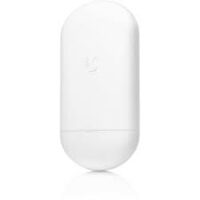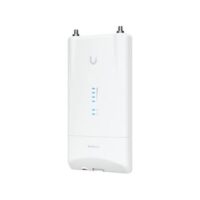

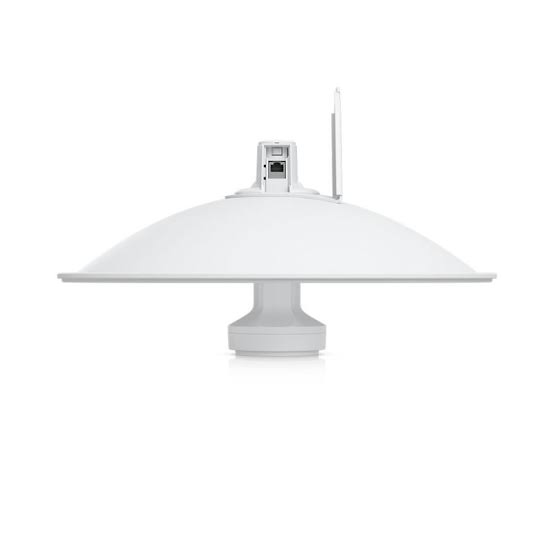
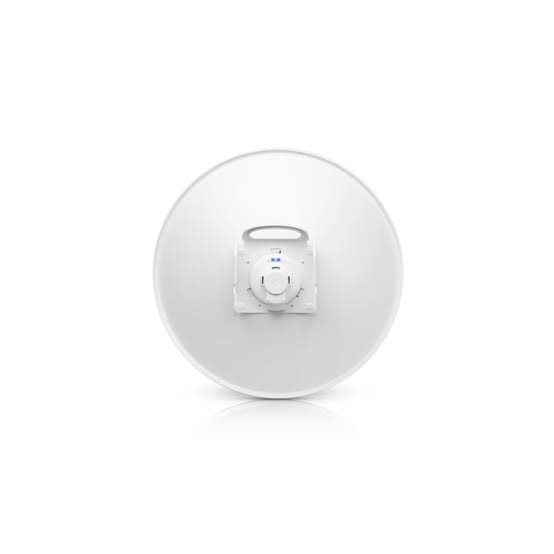
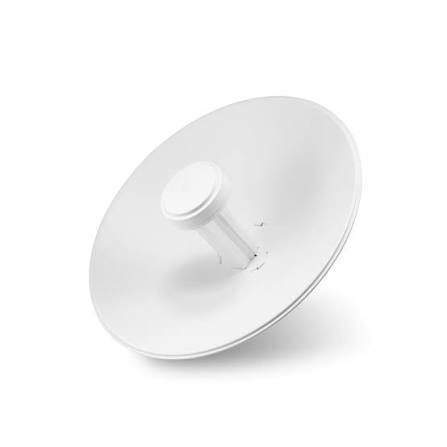

Ubiquiti airMAX Bullet M2 HP
2.4 GHz Wireless Radio
Model: BulletM2-HP
Compact outdoor wireless radio with an N-type antenna connector for flexible wireless networking deployments.
Product Overview
The Ubiquiti BulletM2 HP is a high-power 2.4 GHz outdoor wireless radio designed for professional wireless networking. It connects directly to compatible external antennas, making it suitable for point-to-point (PtP) and point-to-multipoint (PtMP) applications. SKYRS Pakistan offers product inquiries along with professional deployment, installation, and configuration services.
|
Specification |
Details |
|---|---|
|
Brand |
Ubiquiti |
|
Model |
BulletM2-HP |
|
Frequency |
2.4 GHz |
|
Wireless standard |
802.11b/g/n |
|
Maximum output power |
25 dBm |
|
Antenna connector |
N-Type Male |
|
Ethernet port |
1 × 10/100 Mbps |
|
Power method |
24V Passive PoE |
|
Maximum consumption |
7W |
|
Enclosure |
Outdoor UV-stabilized design |
|
Operating temperature |
-40°C to 70°C |
|
Wireless management |
airOS |
Point-to-point wireless connectivity.
Point-to-multipoint wireless networking.
ISP and broadband distribution.
Outdoor wireless access points.
CCTV wireless connectivity.
External omni and sector antenna deployments.
Business and industrial wireless networks.
Available exclusively through SKYRS services
SKYRS provides professional deployment, installation, and configuration services for BulletM2 HP wireless networking projects.
Deployment: Wireless network planning and antenna selection.
Installation: Outdoor radio mounting, antenna connection, cabling, and PoE setup.
Configuration: airOS setup, access point, station, bridge, and wireless network configuration.
Optimization: Signal alignment, channel selection, and connectivity testing.
Troubleshooting: Wireless connectivity inspection and configuration support.
Contact SKYRS for BulletM2 HP pricing, product availability, bulk quotations, and professional wireless networking services throughout Pakistan, including Karachi, Lahore, Islamabad, Rawalpindi, Faisalabad, Peshawar, and Quetta.
SKYRS – Your Destination for Ubiquiti Wireless Equipment, Deployment, Installation and Configuration Services in Pakistan.
Looking for the BulletM2 HP price in Pakistan? The Ubiquiti airMAX Bullet M2 HP is a compact 2.4 GHz outdoor wireless radio designed for professional wireless networking applications. It features an integrated N-type antenna connector, allowing network installers to connect a compatible external antenna according to their coverage requirements.
Moreover, its compact design makes installation convenient for outdoor wireless deployments. Whether you operate an internet service provider (ISP), manage a CCTV network, or install wireless connectivity for businesses, this device offers a flexible networking solution.
At SKYRS, customers can inquire about the Ubiquiti Bullet M2 HP, current market pricing, product availability, and bulk purchasing options. Furthermore, our team welcomes inquiries from network professionals, IT companies, telecom contractors, and wholesale equipment buyers throughout Pakistan.
The Bullet M2 HP combines wireless radio technology with a direct N-type antenna connection. Consequently, installers can pair the radio with compatible omni, sector, or dish antennas to build different wireless network configurations.
| Specification | Details |
|---|---|
| Brand | Ubiquiti |
| Product name | airMAX Bullet M2 |
| Model | BulletM2-HP |
| Frequency band | 2.4 GHz |
| Worldwide frequency range | 2412–2472 MHz |
| Maximum output power | 25 dBm |
| Antenna connector | N-Type male |
| Ethernet interface | 10/100 Mbps |
| Power method | 24V Passive PoE |
| Maximum power consumption | 7W |
| Signal indicators | Power, Ethernet and signal strength LEDs |
| Operating temperature | -40°C to 70°C |
| Wireless technology | airMAX |
| Installation type | Outdoor wireless radio |
Specifications are based on Ubiquiti documentation. Always verify the hardware revision and regional configuration before purchasing.
One of the most useful features is its integrated N-type connector. Unlike wireless devices with built-in directional antennas, this radio allows installers to select a compatible external antenna.
For example, you can choose:
Therefore, the antenna selection can match the coverage and connectivity requirements of your network.
The Bullet M2 HP operates in the 2.4 GHz frequency band. Additionally, its airMAX technology supports compatible outdoor wireless networking configurations.
However, actual wireless performance depends on antenna gain, interference, line of sight, channel selection, and local regulatory limits.
Searching for the latest Ubiquiti Bullet M2 HP price in Pakistan? SKYRS welcomes customer inquiries for product pricing, availability, and purchasing arrangements.
Since networking equipment prices can change according to import costs, stock levels, and supplier conditions, requesting an updated quotation is the best way to confirm the current market price.
Whether you require a single radio or several units for a large networking project, contact SKYRS for purchasing assistance.
Customers searching for Bullet M2 HP equipment in Karachi can contact SKYRS for current pricing and availability. Moreover, business customers and network installers can request quotations according to their project requirements.
Looking for a Ubiquiti Bullet M2 HP supplier in Lahore? Contact SKYRS to discuss purchasing options, product specifications, and delivery arrangements.
IT companies, telecom contractors, and network installers in Islamabad and Rawalpindi can inquire about this wireless radio. Furthermore, commercial buyers can request bulk quotations.
Customers in Peshawar and other KPK regions can contact SKYRS for updated product information. Additionally, delivery arrangements can be discussed with our sales team.
Businesses and wireless networking professionals in Faisalabad can request product quotations and availability information from SKYRS.
For customers in Quetta, SKYRS welcomes inquiries about Ubiquiti wireless networking equipment and purchasing arrangements.
Customers from the following cities can also contact SKYRS:
Regardless of your location, contact our team to confirm product availability and delivery options.
Finding a suitable Ubiquiti wireless equipment supplier is important for professional network installations. Therefore, SKYRS welcomes inquiries from customers seeking wireless networking products and bulk purchasing options.
Our potential customer segments include:
Additionally, bulk customers can request customized quotations based on their required quantities.
Contact SKYRS to discuss product availability, importer information, wholesale pricing, and purchasing requirements.
The Bullet M2 HP offers flexibility because it works with compatible external antennas. As a result, network professionals can select antenna configurations according to their wireless coverage requirements.
Pair compatible radios and directional antennas to establish wireless connections between remote locations. For example, businesses can connect separate buildings without installing long Ethernet cables between them.
When paired with a suitable sector or omni antenna, the device can support compatible point-to-multipoint network configurations. Consequently, network operators can design wireless distribution systems for appropriate coverage areas.
Internet service providers can consider this device for compatible 2.4 GHz outdoor wireless deployments. However, network planners should evaluate interference, capacity, antenna compatibility, and regulatory requirements before installation.
The Bullet M2 HP can support suitable wireless links for IP camera networks. Nevertheless, installers should calculate the required bandwidth and select the correct antenna configuration to maintain stable connectivity.
Its outdoor-oriented design and external antenna connection make it useful for compatible wireless access point deployments. Furthermore, professional mounting, grounding, and surge protection help protect outdoor installations.
Choosing the correct antenna is essential for achieving the desired wireless coverage. Since the Bullet M2 HP uses an N-type connector, installers should select a compatible antenna with the appropriate connector and frequency support.
Common antenna categories include:
| Antenna type | Typical application |
|---|---|
| Omni antenna | Wireless coverage in multiple directions |
| Sector antenna | Directional point-to-multipoint coverage |
| Dish antenna | Focused directional wireless links |
For instance, a sector antenna can suit a wireless distribution project, whereas a directional dish can suit a compatible point-to-point connection.
Always verify antenna specifications, connector compatibility, gain limits, and permitted transmit power before installation.
Proper configuration helps maintain wireless connectivity and network stability. Therefore, installers should use compatible firmware and follow Ubiquiti’s official installation instructions.
For firmware updates, visit the official Ubiquiti download portal:
https://ui.com/download
Before updating, confirm the exact hardware model and compatible firmware version. Furthermore, back up your existing configuration to avoid unnecessary configuration problems.
The Ubiquiti Bullet M2 HP is an outdoor 2.4 GHz wireless radio featuring an integrated N-type antenna connector. It supports compatible access point, client, and wireless bridge applications.
The price depends on current stock, import costs, and supplier quotations. Contact SKYRS to request the latest price in Pakistan.
You can contact SKYRS to inquire about Ubiquiti Bullet M2 HP availability, pricing, and purchasing arrangements.
SKYRS welcomes inquiries for Ubiquiti wireless networking products. Contact the team to confirm current distribution and supply arrangements.
The device operates in the 2.4 GHz frequency band. Its documented worldwide frequency range is 2412–2472 MHz, subject to regional restrictions.
No. It features an integrated N-type antenna connector rather than a built-in directional antenna. Therefore, you must connect a compatible external antenna.
Compatible external omni, sector, and dish antennas can be used when they meet the connector, frequency, and regulatory requirements.
Yes. It supports compatible outdoor access point configurations when paired with a suitable antenna and correctly configured network.
Yes. You can use compatible radios and directional antennas to establish a point-to-point wireless bridge.
Yes. It can support compatible point-to-multipoint deployments with a suitable sector or omni antenna and appropriate network configuration.
The documented maximum output power is 25 dBm. However, installers must configure transmit power according to antenna gain and applicable local regulations.
The documented power method is 24V passive PoE. Always verify the power adapter specifications before connecting the device.
Yes. It can support compatible outdoor wireless links for IP camera systems. However, the required bandwidth, antenna selection, and signal quality determine actual performance.
The Bullet M2 HP uses an external N-type antenna connection, whereas the NanoStation M2 features an integrated antenna. Therefore, the Bullet offers more flexibility in selecting an external antenna.
The Bullet M2 HP operates in the 2.4 GHz airMAX M wireless family, whereas Bullet AC belongs to Ubiquiti’s airMAX AC product family. They differ in wireless technology and compatibility.
Yes. Contact SKYRS with your required quantity to request a bulk quotation and discuss availability.
Contact SKYRS to confirm current stock, pricing, and delivery arrangements for your city.
Visit the official Ubiquiti Downloads Center and search for the exact Bullet M2 HP model. Additionally, check the firmware compatibility instructions before installation.
Yes. It can support a suitable wireless bridge between two buildings when paired with compatible equipment and correctly aligned directional antennas.
Contact SKYRS to discuss product availability and delivery arrangements for Karachi, Lahore, Islamabad, Peshawar, Faisalabad, Quetta, and other cities.
Looking for a Ubiquiti Bullet M2 HP supplier, competitive pricing, or wholesale networking equipment in Pakistan? SKYRS welcomes inquiries from businesses, network installers, ISPs, and IT professionals.
The Bullet M2 HP offers a flexible external antenna solution for compatible 2.4 GHz wireless networking applications. Moreover, its compact radio design makes it a practical option for different outdoor networking projects.
Contact SKYRS today to request the latest BulletM2 HP price in Pakistan, confirm product availability, and obtain a bulk quotation for your networking requirements.