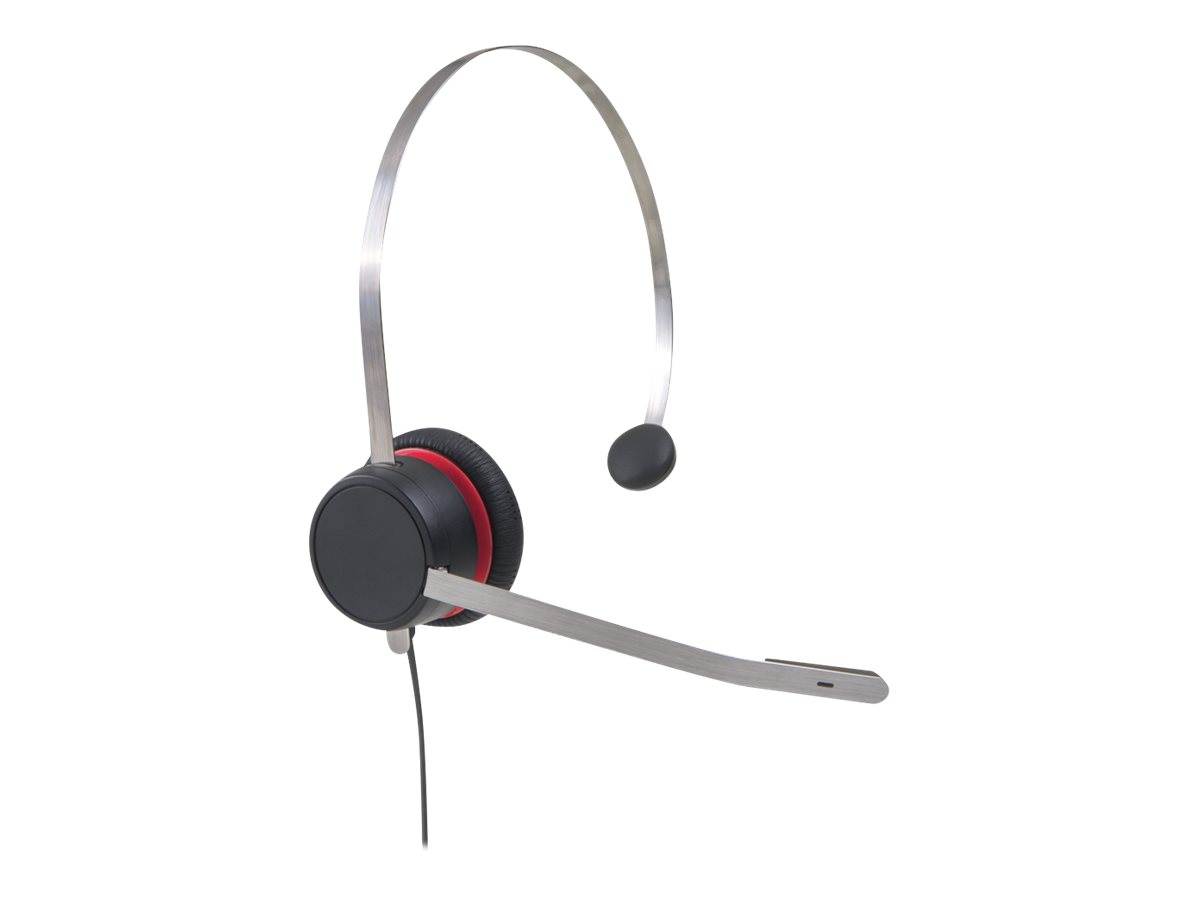
Avaya L139 Monaural Headset Professional Description
The Avaya L139 is a premium mid-range monaural product designed for professional call centers and unified communications users. This product features a sleek brushed aluminum headband that provides a modern look and extreme durability for daily use. Organizations in Karachi rely on this product to maintain high productivity during intensive customer service and sales operations.
Furthermore, this product offers a 360-degree rotating boom microphone for precise positioning on either the left or right side. Businesses in Lahore value the integrated noise cancellation which filters out background distractions in busy open-plan office environments. This product also includes Avaya AcousticEdge™ technology to protect your hearing from long-term acoustic exposure and sudden spikes.
In Islamabad, the corporate sector utilizes this product for its wideband audio that ensures crystal-clear voice quality for every call. Specifically, the product features soft leather ear cushions that offer maximum comfort during long shifts in active business hubs. Professionals in Faisalabad benefit from the magnetic Quick Connect interface found on this efficient and highly versatile product.
The Avaya L139 integrates perfectly with Avaya Aura, IP Office, and various soft clients for a seamless communication experience. Additionally, its LED busy light on the ear cup alerts colleagues in Sialkot when you are on an active call. You can easily upgrade the firmware of this product via the cloud using the intuitive Avaya web management platform.
Avaya L139 vs. Avaya L129 Comparison
While both models offer monaural designs, the Avaya L139 provides a significant upgrade in build quality and specialized features. The Avaya L139 features a brushed aluminum headband, whereas the Avaya L129 utilizes a standard plastic-based headband for basic entry-level use. Consequently, the L139 product better suits power users who require a more rugged and premium feel in Pakistan.
In addition, this product includes an LED busy light to prevent unwanted interruptions during critical client conversations and meetings. On the other hand, the Avaya L129 offers a simpler solution for walk-up users or those with lighter call volumes. Therefore, the Avaya L139 remains the superior product for managers and dedicated agents across Karachi and Lahore.
Key Product Specifications
| Feature | Details |
| Audio Type | Monaural (Single Ear) Wideband Audio |
| Headband | Adjustable Brushed Aluminum Frame |
| Microphone | 360-Degree Boom with Noise Cancellation |
| Protection | Avaya AcousticEdge™ Technology |
| Connectivity | Magnetic Quick Connect (QC) System |
Top Ranking SEO Tags
Avaya L139, Headset Pakistan, Avaya L139 Price, Call Center Headset Karachi, Professional Headset Lahore, Avaya L100 Series, Noise Cancelling Headset Islamabad, Business Headset Faisalabad, 700514053 Pakistan, Avaya Headset Seller.
Physical Product Pictures: View original high-resolution imagery on the Official Avaya L100 Series Support Page.
Internal Product Link: Buy Avaya L139 in Pakistan at skyrs.com.pk
External Manufacturer Link: Official Avaya L139 Headset Product Documentation
Frequently Asked Questions (FAQ)
1. Is this product compatible with my PC and desk phone?
Yes, the Avaya L139 works with both by using the appropriate Quick Connect RJ9, USB, or 3.5mm cable.
2. Does the product help with hearing protection?
This product includes AcousticEdge™ technology to limit daily acoustic exposure and keep audio levels within safe global standards.
3. Can I wear the microphone on either side?
The product features a 360-degree boom arm, allowing you to position the microphone on the left or right ear.
4. What does the LED busy light do?
The LED on this product glows when you are on a call, signaling to others that you are currently unavailable.
5. How do I update the firmware for this product?
You can update this product with one click through the Avaya web management platform via cloud-based integration.
Would you like me to help you select the correct Quick Connect cable for your specific Avaya deskphone model?