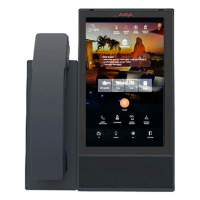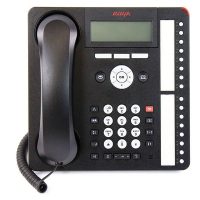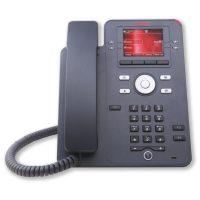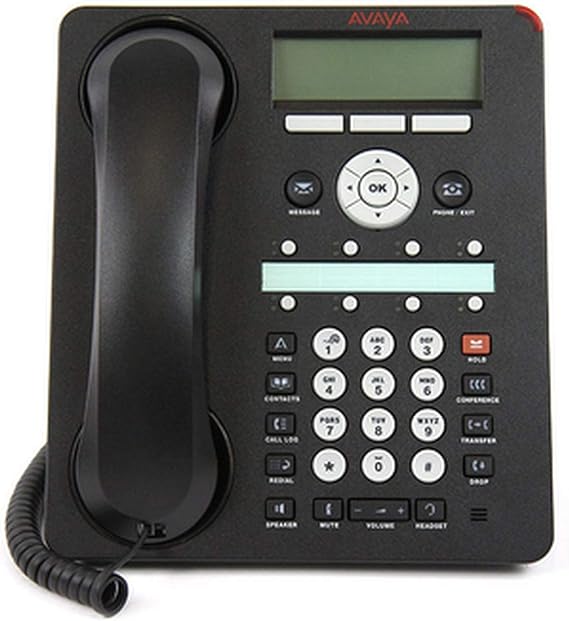
The Avaya 1408 digital deskphone offers high-performance voice communication for everyday business environments.
Skyrs is the premier vendor in Pakistan providing complete Avaya 1408 equipment. Moreover, we supply every variant alongside key accessories like SSDs, RAM, and related office hardware.
This model includes a 3-line by 24-character backlit display for clear menu navigation. Consequently, users access contact lists quickly.
Furthermore, it provides eight programmable feature keys with dual red-green LEDs. Therefore, agents track line statuses effortlessly.
Audio Quality: Includes a full-duplex speakerphone and direct headset port.
PBX Compatibility: Operates natively on Avaya IP Office and Communication Manager platforms.
Power Requirements: Functions directly over digital station ports without local power injectors.
For complete technical specifications, review the official Avaya 1408 Telephone Documentation. Additionally, explore related items on our Skyrs Product Catalog.
Businesses require reliable call routing equipment for continuous operation. Because of this, we supply verified hardware nationwide.
Metropolitan Hubs: Best Avaya 1408 equipment in Karachi, Lahore, Islamabad, and Rawalpindi.
Industrial Centers: Refurbished Avaya 1408 units in Faisalabad, Sialkot, and Multan.
Regional Networks: Branded used Avaya 1408 inventory in Peshawar, Quetta, and Hyderabad.
Our inventory supports diverse environments across Pakistan. For instance, we equip call centres, corporate offices, software houses, hospitals, industrial factories, and security installations.
Furthermore, we stock the full Avaya 1408 pack price options for bulk enterprise upgrades. Check the Avaya 1408 used price 2026 for competitive market rates.
Setting up the system requires standard digital line connections. First, connect the unit to an active IP Office station port.
Next, review the Avaya 1408 configuration guide for extension assignments. Afterwards, verify system signal paths to ensure clean audio transmission.
Unplug the line cord from the back port.
Hold down the mute button during re-connection.
Release the button once system prompts display on screen.
Furthermore, administrators can download the latest Avaya 1408 firmware update and datasheets directly. Because this terminal uses digital extension cards, it bypasses standard network switch PoE power budget calculations and VLAN configuration steps.
| Feature | Avaya 1408 Digital | Standard IP Deskphone |
| Connection Type | Digital Station Port | Ethernet (VoIP) |
| Programmable Keys | 8 Dual-LED Keys | 2 to 4 Soft Keys |
| Network Bandwidth | Zero IP Bandwidth Used | Requires IP Throughput |
| Configuration | Centralized PBX Auto-Assign | Manual SIP Setup |
While IP phones require dedicated network ports, digital hardware saves internal network bandwidth. Therefore, this model provides superior stability for heavy call volumes.
What system is the Avaya 1408 compatible with?
It connects to Avaya IP Office Release 6.0 (or higher) and Avaya Aura Communication Manager.
Can this device connect to non-Avaya systems?
No, it runs on proprietary digital protocols designed for Avaya PBX systems.
Does this phone require an external power adapter?
No, it draws operating power directly over the digital extension wiring.