This official data sheet highlights the technical specifications, deployment strategies, and specialized configurations for the Anker Prime Charger (250W) series, offered in Pakistan exclusively through SKYRS.
Product Overview
The Anker Prime Charger (250W, 6 Ports, GaNPrime) stands as a pinnacle of desktop power management. Integrating gallium nitride (GaN) efficiency with PowerIQ 4.0 and ActiveShield 3.0, this flagship device delivers high-wattage throughput for enterprise workstations, high-end production desks, and heavy-duty tech environments.
Technical Specifications
Total Wattage: 250W Max
Port Configuration: 4 × USB-C, 2 × USB-A
Max Single-Port Output: USB-C1 up to 140W (PD 3.1) | USB-C2, C3, C4 up to 100W | USB-A1, A2 up to 22.5W
Multi-Port Efficiency: Intellectually distributes 250W across all 6 ports simultaneously based on device load.
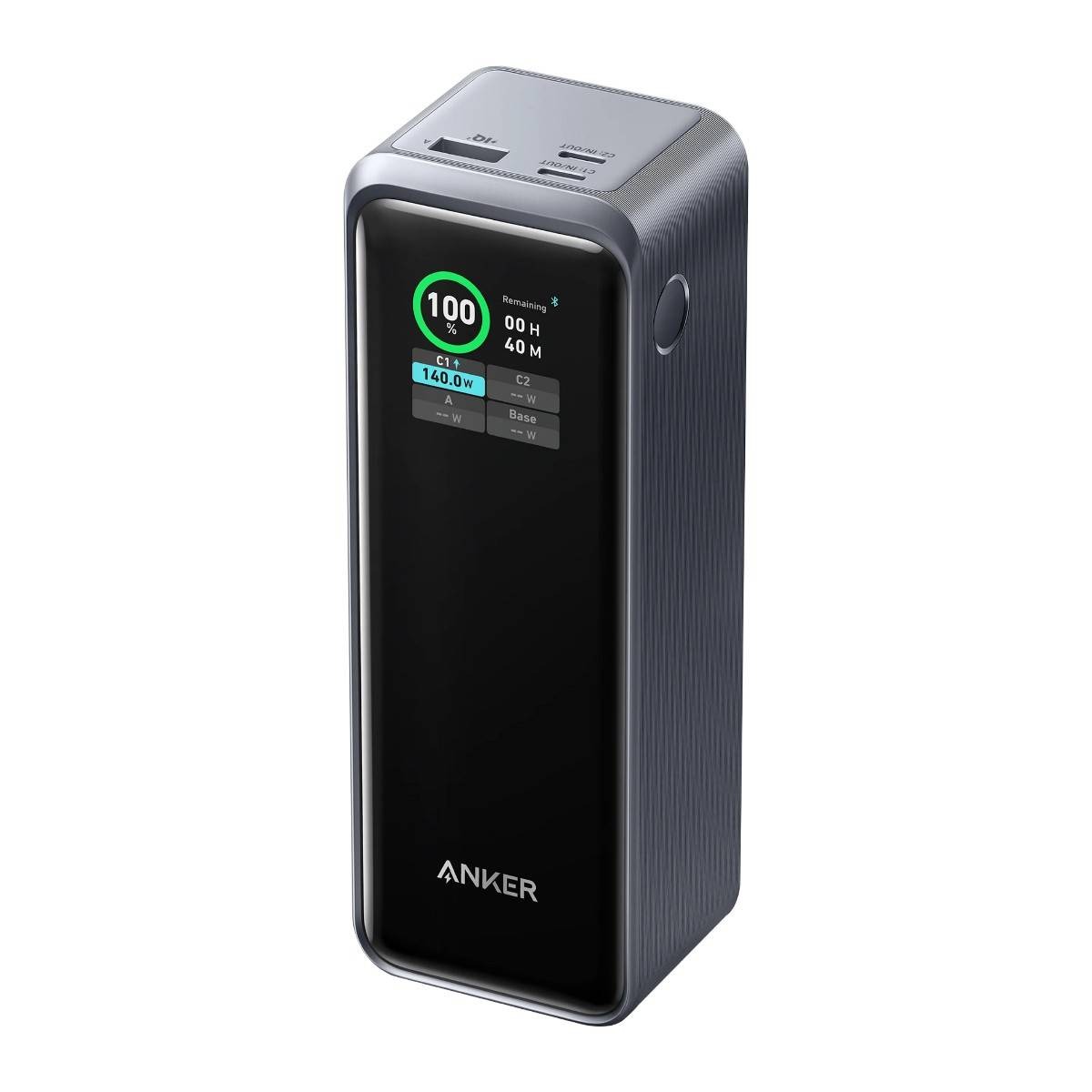
Interface: 2.26-inch real-time LCD color display with an integrated physical smart control dial.
Connectivity: 2.4 GHz Wi-Fi and Bluetooth for smart ecosystem pairing.
Safety Mechanics: ActiveShield 3.0 thermal monitoring (checks temperatures over 6 million times daily).
SKYRS Exclusive Deployment and Installation
As a premium deployment infrastructure managed uniquely by SKYRS within Pakistan, hardware provisioning must align with localized grid environments to guarantee longevity and performance.
Pre-Installation Requirements
Grounded AC Source: Ensure the target multi-plug or wall receptacle delivers a clean 100-240V (50-60Hz) output. Given local grid variance, plugging the station into a dedicated UPS or surge-protected line is highly recommended.
Ventilation Clearance: Place the unit flat on its base on a non-cluttered surface. Maintain at least 2 inches of clearing around the side vents to support GaN-driven passive cooling structures.
Physical Deployment
Connect the specialized high-gauge AC power cord to the back of the Anker Prime station.
Route the cable securely to avoid strain or physical tripping hazards in workspace setups.
Plug the AC cord into your power line; the 2.26-inch LCD screen will immediately illuminate, indicating standby ready-state.
System and Smart App Configuration
SKYRS clients gain full access to advanced multi-tier optimization through custom profile provisioning.
On-Device UI Setup
Use the physical control dial located next to the LCD display to click into the Main Menu.
Rotate the dial to alternate between pre-configured operational schemes:
AI Power Mode: Automatically reads the handshakes of connected electronics and scales delivery targets.
Port Priority Mode: Permanently locks primary power overhead (e.g., 140W) to designated primary ports (USB-C1/C2) for critical laptop backup, scaling down secondary channels automatically.
Low Current Mode: Throttles extreme high-speed spikes to protect lower-draw accessories like wireless earbuds or wearables overnight.
IoT Network Integration
Enable Bluetooth on your administrative smartphone or tablet device and open the official Anker software utility.
Power on the station, hold the control dial for 3 seconds to trigger pairing, and select the device profile inside the application.
Choose your localized 2.4 GHz office or home Wi-Fi network within the utility menu and type the network password.
Once connected, administrators can remotely deploy Custom Power Allocation Schemes, setting minimum wattages for specific individual ports or monitoring remote heat metrics.
Availability and Support Services
The Anker Prime Charger 250W ecosystem—including all global variants and companion high-gauge Power Delivery cables—is officially provisioned and available in Pakistan exclusively through SKYRS distribution pipelines.
SKYRS provides complete enterprise onboarding, a localized 7-day checking check-out standard, and dedicated hardware warranty support lines directly through our local service centers.
Skyrs remains the leading technology enterprise across Pakistan. Specifically, we supply highly dependable desktop power architectures engineered for intensive commercial workflows. Modern workplace operations require stable hardware systems to handle multi-device management efficiently. Therefore, investing in the best Anker Prime 250W Charger equipment prevents unexpected device downtime and operational delays.
The foundational component of this hardware layout is the high-tier all variants. This advanced multi-port charging hub features a smart LCD control panel showing real-time power analytics. Consequently, it maintains reliable power parameters across diverse professional corporate hardware configurations.
The engineered throughput limit safely caps rapid continuous output at 250W. Meanwhile, a smart security license activation Anker firmware routine monitors cross-port thermal safety thresholds. Technical teams can easily consult the comprehensive Anker equipment configuration guide to complete complex workstation placements.
To evaluate precise structural specifications, operators can initiate an datasheets download. This detailed architectural schematic outlines the integrated PoE power budget matrix. Furthermore, technical managers can complete an official Anker firmware update download via standard hardware testing bridges.
If power distribution becomes inconsistent, executing a How to reset Anker equipment routine restores baseline charging parameters. When organizing clean hardware arrays, using the specialized rack mount kit streamlines utility shelf alignment.
+---------------------------------------------------------------------------------+
|                       MANUFACTURER OFFICIAL HARDWARE PROFILE                    |
+---------------------------------------------------------------------------------+
|                                                                                 |
|     [  Total Output Power: 250W Max ]            [  Smart LCD Status Display ]   |
|     [  Charging Ports: 4 USB-C / 2 USB-A ]       [  ActiveShield 2.0 Dynamic ]   |
|                                                                                 |
|      (O) USB-C1 (140W Max)  (O) USB-C2           [=] Smart Side Control Dial    |
+---------------------------------------------------------------------------------+
(Reference visual layout designed according to the Anker Official Manufacturer Portal)
Skyrs operates as the unique vendor in Pakistan supplying customized infrastructure for high-demand digital corporate networks. For instance, we deliver premium power lines for facilities running Anker equipment for zoom ringcentral. Our engineers provide a clear Anker VLAN configuration layout to safeguard connected administrative stations safely.
Enterprises managing strict budget caps can procure a fully verified Branded used Anker batch from us. Similarly, an authentic Refurbished Anker package provides identical operational longevity at vastly decreased costs. We guarantee full commercial clarity by providing a transparent Anker pack price breakdown.
Our extensive inventory covers heavy corporate requirements through specialized routing Anker equipment setups. Compared to static hardware from Mikrotik, H3C, Aruba, Ruijie, Huawei, or Palo Alto, Anker provides superior workspace flexibility. Standard infrastructure brands focus entirely on heavy wired panels. Conversely, the Anker power hub ensures high-wattage device speed at the desk level.
| Technical Feature       | Anker Prime Charger (250W) all variants | Competitor Alternates (Standard Hubs)          |
|-------------------------|-----------------------------------------|------------------------------------------------|
| Port Density Management | 6 Active Smart Output Channels          | Limited 3 or 4 Port Dynamic Allocations        |
| Thermal Monitoring      | ActiveShield 2.0 Intelligent Safety    | Basic Fixed Internal Cutoff Fuses Only         |
| Interface Readout       | Digital Real-Time Wattage Graphing      | No Visual Screen; Simple Single LED Light      |
Corporate operations planning wide hardware transitions can request an explicit Anker Anker Prime Charger (250W bulk quote. Additionally, businesses updating older workspaces can utilize our strategic Anker Migration services.
Skyrs functions as the premier Anker equipment series distributor Pakistan relies on for rapid regional fulfillment. We handle active product reserves to fulfill urgent corporate consumer requests. Furthermore, you can source used Anker in different cities like karachi , lahore , islamabad, rawalpindi , faisalabad etc directly through our network.
Monitor real-time corporate values through our Anker price in Pakistan portal.
Acquire critical wireless arrays using Buy Anker equipment Lahore/Islamabad channels.
Locate proximate commercial stock seeking the Anker Anker Prime Charger (250W price in Karachi.
Browse our verified regional wholesale Anker Anker Prime Charger (250W price in peshawar tables.
Assess direct regional shipments via the Anker Anker Prime Charger (250W price in faisalabad index.
Verify localized logistics estimates on our Anker Anker Prime Charger (250W price in kpk page.
Review our western tracking loop for AnkerSwitch Anker Anker Prime Charger (250W price in quetta.
Q: Where can we verify global corporate values for legacy inventory?
A: You can audit our active Anker Anker Prime Charger (250W used price 2026 guide directly at Skyrs Product Inventory.
Q: How does this system secure an active equipment for call center call centre in pakistan setup?
A: The high-capacity 256W distribution powers multiple executive laptops simultaneously. Consequently, your data infrastructure remains safe from slow charging disruptions.
Q: Can we implement an internal Anker Anker Prime Charger (250W memory upgrade on site?
A: The solid-state power brick does not utilize or support physical internal memory modifications. However, you can execute an Anker Anker Prime Charger (250W update via specific hardware controllers to optimize safety limits.
Q: Do you supply certified used Anker in different cities like karachi , lahore , islamabad, rawalpindi , faisalabad etc?
A: Yes, Skyrs covers all major domestic cities, shipping verified desk units straight to your corporate facility.
Tags: #AnkerPrimePakistan #Anker250WCharger #CallCenterHardware #SkyrsExclusive #HighWattageCharging #AnkerDistributorPakistan