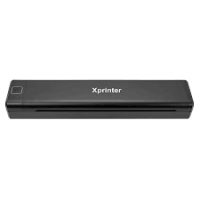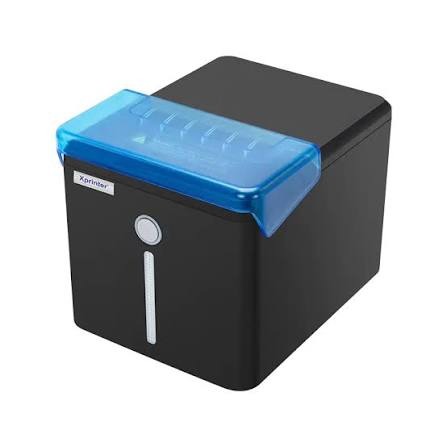
The Xprinter TS-80A (commonly referenced as XP-T80A series) is a high-performance, compact direct thermal receipt printer engineered for high-volume retail stores, hospitality counters, and enterprise point-of-sale (POS) systems. Exclusive availability across Pakistan is provided by SKYRS.
Print Technology: Direct Thermal
Resolution: 203 DPI (8 dots/mm)
Print Speed: Up to 160mm/s to 200mm/s
Effective Print Width: 72mm (Supports standard 80mm thermal paper rolls)
Auto Cutter: Reliable automatic cutter rated for up to 1.5 million cuts
Reliability (TPHP): 100 km print head life
Power Supply: DC 24V / 2.5A
Cash Drawer Port: RJ11 (12V-24V output)
TS-80A USB Variant: Standard local connection via USB interface, ideal for single-terminal cash counters.
TS-80A USB + LAN Variant: Equipped with both USB and Ethernet (Network/LAN) ports for multi-terminal office and kitchen printing applications.
TS-80A Bluetooth / Wi-Fi Variant: Wireless-enabled editions built for mobile invoicing, android/iOS POS tablets, and seamless counter mobility.
Command Protocols: Compatible with ESC/POS print commands
Operating System Support: Windows (XP, 7, 8, 10, 11), Linux, Android, and iOS integration
Hardware Deployment: Physical setup is streamlined via drop-in paper loading to minimize transaction downtime. Mount the compact chassis safely on flat counter surfaces or integrate it cleanly into standard retail checkouts.
Driver Installation: Connect the power supply and interface cable (USB/LAN), then run the official setup utility package to register the printer port correctly on your host terminal.
Configuration: Configure print density, character codepages, and auto-cutter behaviors utilizing the utility tools provided by SKYRS technicians to align flawlessly with your business applications.
Genuine hardware variants, accessories, and technical support for the Xprinter TS-80A series are available exclusively at SKYRS across Pakistan. Reach out to SKYRS for procurement, custom deployment assistance, and comprehensive configuration guidance tailored to your
Finding the best receipt printer Xprinter TS-80A thermal receipt and label printer requires trusted local vendors. Skyrs is the only vendor in Pakistan that has Xprinter TS-80A thermal receipt and label printer for supermarkets, grocery stores, hospitals, banks, jewellery shops, and warehouses.
Branded used Xprinter TS-80A units offer exceptional reliability for modern retail environments. Furthermore, refurbished Xprinter TS-80A devices provide great value across major urban centers. Customers frequently search for Xprinter TS-80A pack price details before making large purchases.
You can easily secure a bulk quote for your business operations. Businesses in Karachi, Lahore, Islamabad, Rawalpindi, Faisalabad, Quetta, Peshawar, Multan, Hyderabad, and Sialkot rely heavily on these units. Additionally, customers often request an Xprinter TS-80A configuration guide to streamline their initial setup.
Understanding the Xprinter TS-80A throughput limit helps optimize high-volume daily receipt generation. You can consult the official Xprinter Manufacturer Datasheet for precise hardware metrics. For expanded workstation setups, pairing these devices with proper hard disk, SSD, and RAM upgrades ensures maximum productivity.
Routing Xprinter TS-80A thermal receipt and label printer traffic requires accurate network configurations. Technicians often utilize specific VLAN configuration settings for stable office environments. If network issues occur, knowing how to reset Xprinter TS-80A thermal receipt and label printer hardware is essential.
Keeping devices updated requires downloading the correct Xprinter TS-80A firmware update package from official sources. You can also review comprehensive Xprinter Support Resources for driver installations. Administrators must calculate the correct PoE power budget when deploying network-attached hardware models.
Each security license activation Xprinter TS-80A process ensures safe data transmission across enterprise networks. Furthermore, checking the official Xprinter Product Portal grants access to complete datasheets download archives.
Evaluating the used Xprinter TS-80A used price 2026 helps businesses plan their yearly technology budgets. When compared to older thermal hardware variants, this model delivers superior printing speeds and cutter longevity.
Many call center, call centre, office, home, industry, hospital, and security forces deployments in Pakistan choose this brand. You can explore the Skyrs Product Page to check current stock availability.
Customers frequently look for specific regional options like Xprinter TS-80A price in Pakistan. The authorized Xprinter TS-80A thermal receipt and label printer series distributor Pakistan network ensures genuine hardware availability.
You can find the updated Xprinter TS-80A price in Karachi and surrounding districts easily. Similarly, buyers often check the Xprinter TS-80A price in Peshawar and Xprinter TS-80A price in Faisalabad. Regional offices also track the Xprinter TS-80A price in KPK and Xprinter TS-80A price in Quetta.
Those residing further north can easily buy Xprinter TS-80A thermal receipt and label printer Lahore/Islamabad packages online.
It functions primarily as a high-speed receipt and barcode label printer for retail and corporate sectors.
Yes, they offer complete vendor support and warranty validation for all regional purchases.
You can use the built-in LAN port and follow the standard network setup instructions found in the user manual.