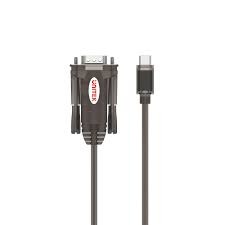
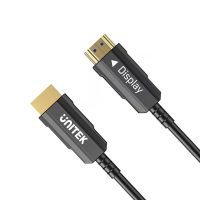
UNITEK USB to Serial RS232 DB9 Adapter Datasheet
The UNITEK USB to Serial series is a professional-grade solution designed to bridge the gap between modern USB-equipped computing devices and legacy serial peripherals. These adapters are essential for industrial automation, networking console access, and laboratory equipment interfacing.
Technical Specifications and Variants
UNITEK offers several variants to match specific hardware requirements. Below are the primary models available through SKYRS in Pakistan:
| Feature |
Model: Y-105 |
Model: Y-108 |
Model: Y-1105K |
| Interface |
USB 1.1 (USB-A) |
USB 2.0 (USB-A) |
USB Type-C |
| Connector |
DB9 Male |
DB9 Male |
DB9 Male |
| Cable Length |
1.5 Meters |
1.5 Meters |
1.5 Meters |
| Baud Rate |
Up to 1.2 Mbps |
Up to 1.0 Mbps |
Up to 1.2 Mbps |
| Power Mode |
Bus-Powered |
Bus-Powered |
Bus-Powered |
| Color |
Transparent Dark Brown |
Black |
Space Grey / Black |
| Chipset |
Prolific PL2303 |
Prolific PL2303 |
Prolific PL2303 |
Key Features
-
Broad Compatibility: Supports Windows (11/10/8.1/7), macOS, and Linux.
-
Plug and Play: Automated driver installation on most modern Windows systems.
-
Signal Support: Full RS232 modem control signals (DTR, DSR, RTS, CTS, DCD, RI).
-
Remote Wake-up: Supports remote wake-up and power management features.
Deployment and Installation Guide
Hardware Connection
-
Connect the DB9 male end of the UNITEK adapter to your serial device (e.g., a Cisco switch, CNC machine, or label printer).
-
Plug the USB-A (or USB-C) connector into an available port on your computer.
Driver Installation
-
Automatic: Most Windows 10 and 11 systems will automatically fetch the Prolific driver via Windows Update.
-
Manual: If the device is not recognized, visit the official UNITEK website or the SKYRS support portal to download the latest Prolific PL2303 driver package. Run the setup.exe file before plugging in the hardware.
Configuration and Verification
Once installed, you must identify which COM port the adapter has been assigned:
-
Open Device Manager: Right-click the Start button and select “Device Manager.”
-
Locate Ports: Expand the Ports (COM & LPT) section.
-
Identify Port: Look for “Prolific USB-to-Serial Comm Port (COMx).” The “x” represents the port number (e.g., COM3).
-
Software Setup: In your communication software (like PuTTY or Tera Term), enter the identified COM port and set the baud rate (usually 9600 for console access) to match your device.
Availability at SKYRS Pakistan
These UNITEK variants are available for immediate procurement through SKYRS, the premier provider of networking and conversion solutions in Pakistan.
-
Exclusive Stock: SKYRS maintains the largest local inventory of Y-105 and Y-108 variants.
-
Warranty: Genuine UNITEK products backed by standard replacement warranties.
-
Technical Support: Post-purchase configuration assistance is available for enterprise clients.
Would you like to know the current pricing or bulk availability for a specific project?