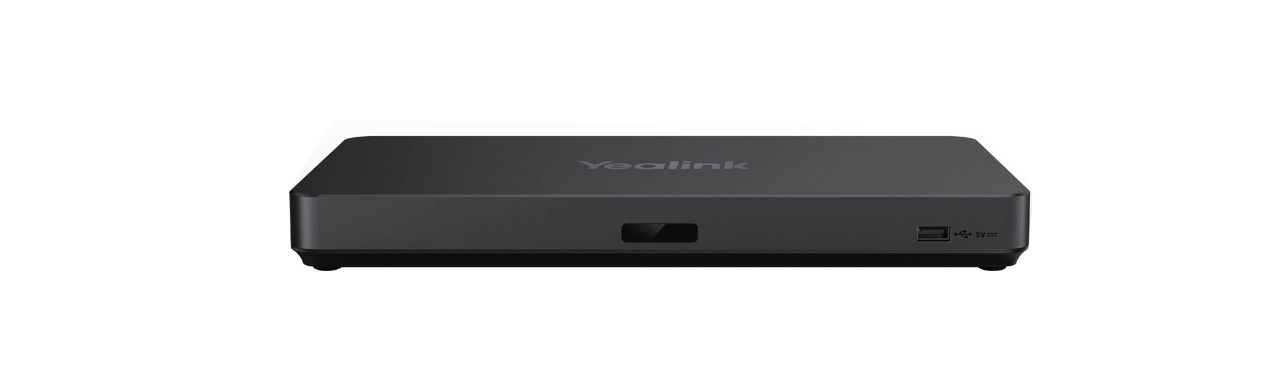
The Yealink AVHub is a high-performance audio and video processor designed for large to extra-large meeting rooms. It acts as the “brain” for multi-camera setups, offloading the processing power from the MCore mini-PC to support complex, multi-sensor environments.
| Feature | Details |
| Device Support | Up to 9 x UVC84/UVC86 cameras |
| Audio Support | Up to 8 x VCM34/VCM38 microphones |
| Speaker Support | Up to 4 x MSpeaker II |
| Processor | Powerful multi-core DSP for low-latency AV processing |
| Network | 1 x 10/100/1000M Ethernet port |
| USB Ports | 2 x USB-A ports (for camera/audio connection) |
| Connectivity | 7 x RJ45 ports (VCH ports) for cameras/audio/PC |
Multi-Camera Intelligence: Enables advanced features like Multi-Focus, Large Gallery View, and Speaker Tracking across multiple cameras simultaneously.
Simplified Cabling: Uses Cat5e cables to connect cameras and audio devices directly to the AVHub, significantly reducing the complexity of long-distance USB cable runs.
AI Video Processing: Offloads AI tasks (like auto-framing and tracking) from the room PC, ensuring a smoother, more stable meeting experience without lag.
Universal Compatibility: While optimized for Microsoft Teams and Zoom Rooms via the Yealink MVC/ZVC kits, it can also be used in standard peripheral mode.
Synchronized Audio: Manages the sync between multiple microphones and speakers to prevent echo and ensure spatial audio clarity in massive boardrooms.
USB-B Port: For connection to the MCore mini-PC.
USB-A Ports: For direct peripheral connection.
VCH Ports (1-7): Proprietary ports that provide both data and power (PoE) to Yealink cameras and microphones.
RCA In/Out: For integration with traditional analog audio systems or third-party DSPs.
In a standard setup, a mini-PC can typically only handle one or two cameras before hitting bandwidth or processing limits. The AVHub bypasses these limits, allowing you to cover every angle of a 20+ person boardroom with professional-grade switching and tracking.
Would you like me to create a wiring diagram description for a specific room size, such as a 3-camera “Large Room” configuration?
The Yealink AVHub is a high-performance audio and video processor designed for extra-large conference rooms and professional auditoriums. This product acts as the central brain of your meeting room system to manage complex hardware configurations with ease. It supports up to nine Yealink UVC84 or UVC86 cameras to provide comprehensive visual coverage from every angle. The product significantly reduces the processing burden on your PC by handling real-time audio and video tasks internally. High-level executives in Karachi can utilize its multi-camera layout feature to capture every detail of a board meeting. It integrates seamlessly with up to eight VCM34 or VCM38 array microphones for expansive voice pickup in large halls. Users in Lahore benefit from its ability to connect four MSpeaker II units for immersive and clear sound distribution. The product utilizes Power over Ethernet (PoE) technology to simplify your wiring and reduce messy cable clutter on floors.
This product is fully compatible with major hosted PBX platforms including RingCentral, AT&T Business, and Vonage. You can easily integrate the device with specialized VoIP services like cPhone for tailored corporate communication workflows. Taxi services in Rawalpindi and Faisalabad use this product in their command centers to manage large-scale dispatching operations. The product supports standard encryption protocols to ensure secure data transmission and remote management for your IT team. It functions perfectly within Microsoft Teams Rooms (MTR) and Zoom Rooms environments to maximize your current collaboration infrastructure. Professionals in Islamabad choose this product for its robust interoperability with various global cloud-based meeting service providers.
While the Logitech Swytch offers a simple BYOD connection, the Yealink AVHub provides much more advanced multi-camera processing. The product allows for a sophisticated “divisible room” feature that manages audio and video across partitioned meeting spaces. Furthermore, this product supports up to nine cameras compared to the limited camera expansion of most standard USB switchers. It integrates perfectly with the Yealink ecosystem and third-party DSPs for professional-grade audio in major cities in Pakistan. The product also features a rugged aluminum casing to ensure long-term reliability and efficient heat management during long sessions.
| Feature | Yealink AVHub | Logitech Swytch |
| Max Cameras | Up to 9 (UVC series) | 1 (via passthrough) |
| Microphone Support | Up to 8 Array Mics | Not Applicable |
| Ports | 7 x VCH (RJ-45), RCA, 6.3mm | USB-A, USB-C |
| PoE Power | Yes (Built-in) | No |
The product ensures high-definition video output by utilizing a powerful AI-enabled chipset for future-proof application scalability. Businesses in Multan prefer this product for its effortless deployment via the Yealink Device Management Platform and RPS. It features multiple interfaces including RCA in/out and 6.3mm line in/out for flexible integration with existing sound systems. You can easily hide this product under a table or in a rack to maintain a clean aesthetic. The product maintains synchronized 4K video feeds to provide a life-like hybrid meeting experience for remote participants. It represents a top-tier choice for organizations in Sialkot seeking to upgrade their training rooms and hybrid classrooms.
Manufacturer Link: Official Yealink AVHub Technical Specifications Page
Internal Store Link: Buy Yealink AVHub Online at SKYRS Pakistan
1. How many cameras can the Yealink AVHub support simultaneously?
This product supports up to nine Yealink UVC84 or UVC86 cameras to provide full coverage of large rooms.
2. Is the Yealink AVHub compatible with third-party audio systems?
Yes, this product features RCA and 6.3mm ports to connect with professional third-party DSPs and audio mixers.
3. Does the AVHub require a separate power supply for connected cameras?
No, this product provides Power over Ethernet (PoE) to cameras and microphones directly through the network cables.
4. Can I use the AVHub for a divisible room setup?
Absolutely, the product is designed to support divisible rooms where audio and video must be managed independently.
5. Is the Yealink AVHub compatible with RingCentral Rooms?
Yes, this product is fully certified for use with RingCentral Rooms, Zoom Rooms, and Microsoft Teams Rooms.
6. Where can I find professional installation for Yealink in Pakistan?
You can get expert installation and authentic product units from SKYRS, serving Karachi, Lahore, and Islamabad.
Tags: #YealinkAVHub #VideoConferencingPakistan #LargeMeetingRoom #VoIPPakistan #YealinkPakistan #Skyrs #MultiCameraSystem #RingCentralCompatible #VonageSolutions #ProAV #KarachiTech