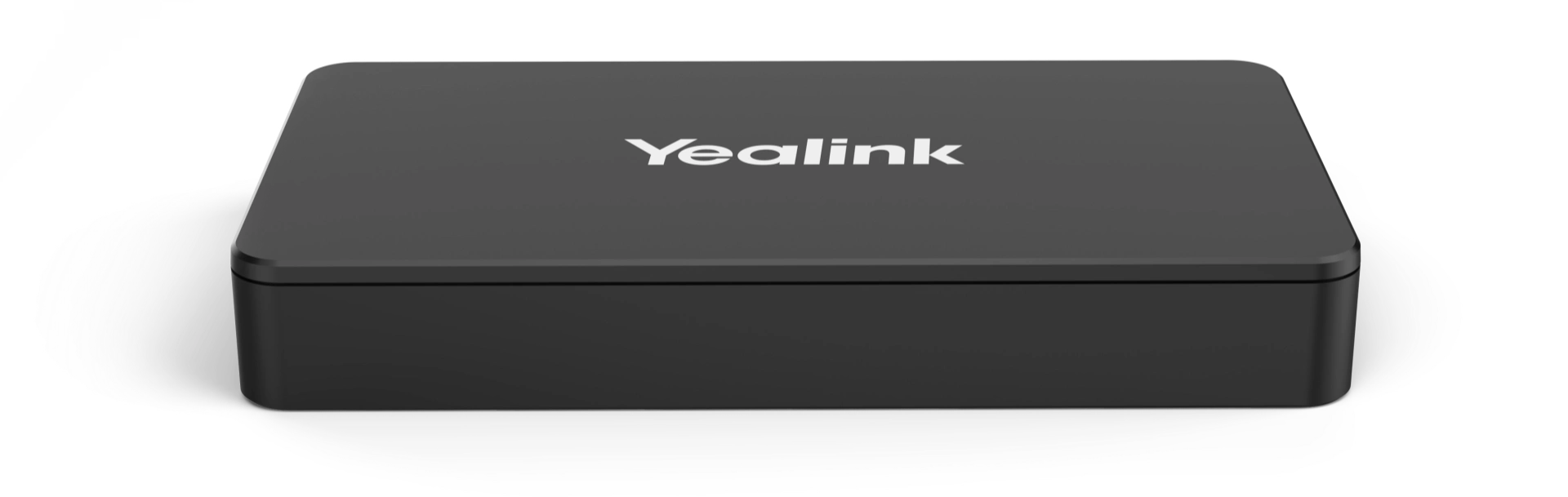
Yealink MShare E2 is a second-generation screen-sharing and content-ingestion box designed specifically for Microsoft Teams Rooms (MTR) and Zoom Rooms. It serves as the primary interface between a user’s laptop and the room’s mini-PC (such as the MCore).
Compared to the original MShare, the E2 offers a more robust build and improved thermal management for 24/7 meeting room environments.
| Feature | Details |
| Max Resolution | 1080P @ 30FPS for content sharing |
| Video Inputs | 1 x HDMI and 1 x Mini-DP |
| PC Connection | 1 x USB 2.0 Type-B (to MCore/Mini-PC) |
| Audio Input | Supported via HDMI or 3.5mm Line-in |
| Wi-Fi | Built-in Wi-Fi AP (for Yealink WPP20/WPP30 wireless pods) |
| Dimensions | Compact, mountable metal chassis |
Dual-Mode Sharing: Supports both wired (HDMI/DP) and wireless (WPP20/WPP30) content sharing simultaneously.
Plug-and-Play: Automatically detected by Microsoft Teams and Zoom Rooms; no drivers are required for the host laptop.
Wireless Access Point: Acts as a dedicated receiver for Yealink Wireless Presentation Pods, ensuring that screen sharing doesn’t bog down the building’s guest Wi-Fi.
Audio Ingestion: Allows users to share not just their screen, but also high-quality system audio during video playback.
Flexible Installation: Can be mounted under a table, behind a display, or inside a floor box using its slim profile.
HDMI Port: Standard input for most modern laptops.
Mini-DP Port: Useful for older MacBooks or specialized industrial hardware.
3.5mm Line-in: For legacy audio devices or dedicated microphone inputs.
USB-B Port: Connects the MShare E2 to the MCore (Room PC).
In an MVC or ZVC kit, the MShare E2 is the “bridge” that allows a guest to walk into a room and immediately project their laptop screen onto the large display. It offloads the video encoding work from the laptop to ensure the presentation remains fluid.
2026 Tech Tip: While the MShare E2 is a wired powerhouse, many users now pair it with the WPP30 pod for 4K wireless sharing and “Bring Your Own Device” (BYOD) functionality.
Would you like me to explain how to set up the WPP30 Wireless Pod with the MShare E2 for a cable-free table?
The Yealink MShare E2 is a professional-grade content sharing product designed to elevate your collaborative video conferencing experience. This product enables seamless wired screen sharing with 1080P resolution at 30 frames per second for ultra-smooth visuals. It features a unique separate design from the touch console to provide maximum deployment flexibility in diverse meeting scenarios. Professionals in Karachi can now share high-definition presentations without the clutter of long, messy cables on their desks. The product includes three versatile ports including HDMI, USB Type-C, and USB Type-B to ensure wide device compatibility. You can easily switch between different laptops and tablets during a live session with this responsive and reliable product. It incorporates a bi-color LED indicator to provide clear visual feedback regarding the current casting status of your stream.
This product works perfectly with leading hosted PBX and UC platforms such as RingCentral, AT&T Business, and Vonage. It allows for easy integration into specialized communication systems like cPhone for customized corporate workflows in Pakistan. Taxi services in Lahore and Faisalabad use this product in their dispatch centers to share real-time tracking data effectively. The product supports high-fidelity audio sharing alongside video to provide a complete multimedia experience for remote participants. You can deploy this product in huddle rooms or large auditoriums thanks to its compact and easily concealable form factor. It ensures stable data transmission by utilizing a dedicated hardware-based encoding system for professional-grade performance in every meeting.
While the Logitech Screen Share offers basic HDMI to USB conversion, the Yealink MShare E2 provides much better port versatility. This product includes native USB-C input which modern laptops in Islamabad require for direct, adapter-free connectivity. Furthermore, the product is specifically optimized for the Yealink MVC series to ensure a native, plug-and-play setup experience. In contrast, many competitor devices require additional drivers or complicated software configurations that can delay your important meetings. This product represents a superior investment for businesses in Peshawar looking for a robust and aesthetically pleasing sharing solution.
| Feature | Yealink MShare E2 | Logitech Screen Share |
| Input Ports | HDMI, USB-C | HDMI only |
| Output | USB-B (to MCore) | USB-A (to PC) |
| Design | Separate/Concealable | Inline Adapter |
| Max Res | 1080P / 30FPS | 1080P / 30FPS |
Businesses in Multan and Sialkot prefer this product for its ability to hide under the table for cleaner aesthetics. The product ensures a tidy workspace by integrating directly with existing HDMI matrix systems and under-desk cable management. You can quickly troubleshoot connectivity issues by checking the intuitive LED status light on the front of the product. It supports a wide operating temperature range to maintain reliable performance in various climate conditions across the country. The product comes with all necessary cables including HDMI and USB-C to facilitate an immediate out-of-the-box setup. It remains the top choice for IT managers who prioritize a “Zero-Touch” user experience for their non-technical office staff.
Manufacturer Link: Official Yealink MShare E2 Product Detail Page
Local Supplier Link: Buy Yealink MShare E2 at SKYRS Pakistan
1. Does the Yealink MShare E2 support 4K screen sharing?
Currently, this product supports up to 1080P Full HD at 30FPS, which is ideal for presentations and document sharing.
2. Can I share audio through the MShare E2?
Yes, this product supports simultaneous audio and video sharing through both the HDMI and USB-C input ports.
3. Is this product compatible with Zoom Rooms?
Absolutely, this product is fully certified for use within both Microsoft Teams Rooms and Zoom Rooms ecosystems.
4. Do I need to install drivers to use the MShare E2?
No, this product is a driver-free, plug-and-play device that works instantly when you connect your laptop.
5. What is the benefit of the USB-C port on this device?
The USB-C port on this product allows modern devices to share content without needing extra HDMI adapters or dongles.
6. Where can I get the Yealink MShare E2 in Pakistan?
You can purchase this product with authentic warranty and local support from SKYRS, serving Karachi, Lahore, and Islamabad.
Tags: #YealinkMShareE2 #ScreenSharingBox #VideoConferencingPakistan #Skyrs #MVCSeries #HDMItoUSB #KarachiTelecom #LahoreBusiness #RingCentral #VonageVoIP #OfficeAutomation
Would you like me to create a diagram showing how to connect the MShare E2 to an MVC860 system?