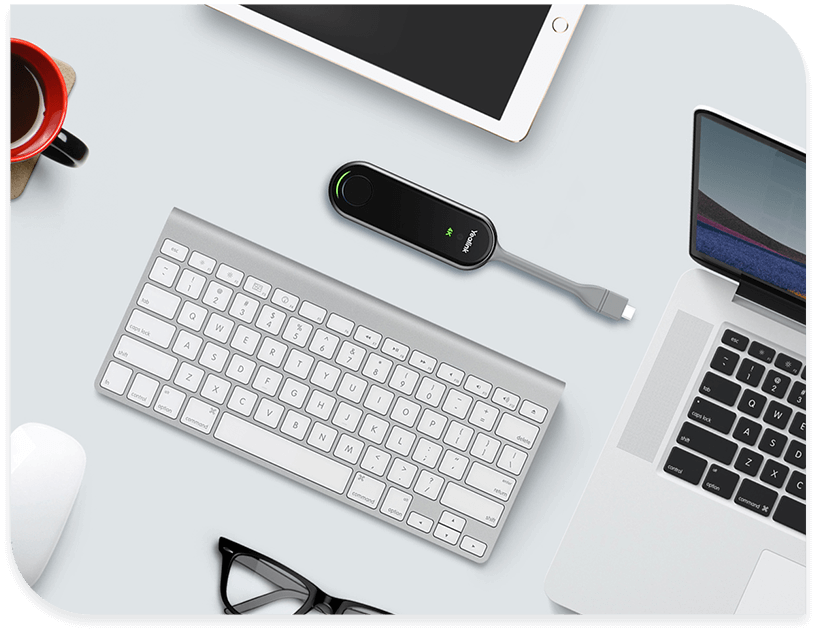
The Yealink WPP30 is a next-generation 4K Ultra HD wireless presentation pod that leverages Wi-Fi 6 technology to provide a cable-free, high-performance meeting experience. It is the successor to the WPP20, offering higher resolution, better security, and a built-in BYOD mode.
| Feature | Details |
| Resolution | Up to 4K @ 30FPS UHD hardware encoding |
| Connectivity | Wi-Fi 6 (802.11ax), Dual-band 2.4GHz/5GHz |
| Interface | Full-featured USB-C (includes USB-C to USB-A adapter) |
| Bluetooth | Bluetooth 5.0 (for easy pairing) |
| Sharing Capacity | Supports up to 4-screen casting simultaneously |
| Encryption | AES & WPA-PSK/WPA2-PSK high-security data encryption |
| Compatibility | Windows 7/8/10/11, macOS 10.10+, iOS, and Android |
Wireless BYOD (Bring Your Own Meeting): Allows you to use the room’s professional camera and audio as your laptop’s webcam wirelessly. No more HDMI or USB cables spanning the table.
Driverless Plug-and-Play: Features an embedded hardware encoding chip. Simply plug it into your laptop; no software installation or admin rights are required to start sharing.
Wi-Fi 6 Performance: Utilizes the 802.11ax standard to ensure low latency (under 100ms) and high anti-interference, even in crowded office environments.
Interactive Collaboration: Supports Reverse Control, allowing you to control your laptop directly from a touchscreen display (e.g., Yealink MeetingBoard).
Self-Built Network: Creates its own Wi-Fi hotspot with the Yealink system (MeetingBar, MeetingEye, or MVC), so it doesn’t rely on your company’s guest Wi-Fi.
Connector: 1 x integrated USB-C cable.
Button: Single large “Start/Stop” button with a ring LED indicator.
LED Status:
Solid Green: Sharing content.
Flashing Green: Ready/Waiting to share.
Solid Red: Connection error.
MeetingBars: A10, A20, A30, A40, A50.
Room Systems: MVC series (with MTouch Plus), MeetingEye 400/600, RoomCast.
Collaboration Displays: MeetingBoard 65/86.
Would you like me to provide a step-by-step guide on how to pair the WPP30 with a MeetingBar for the first time?
The Yealink WPP30 is a revolutionary 4K Ultra HD wireless presentation product designed for seamless boardroom collaboration. This product features a high-performance Wi-Fi 6 chip to deliver a stable and low-latency casting experience. It supports up to 4K resolution at 30 frames per second for crystal-clear visual clarity in every session. Professionals in Karachi can initiate instant screen sharing with a simple one-click operation on this compact product. The product adopts a plug-and-play design that eliminates the need for any complex software or driver installations. It offers dual-band 2.4GHz/5GHz wireless connectivity to ensure superior anti-interference performance in busy office environments. Users in Lahore benefit from its hardware encoding solution which significantly reduces the CPU burden on your laptop. This product is the perfect choice for high-stakes executive meetings and interactive training sessions throughout Pakistan.
This product works seamlessly with leading hosted PBX and video platforms like RingCentral, AT&T, and Vonage. You can easily integrate the device with specialized VoIP services like cPhone for customized corporate communication workflows. Taxi services in Rawalpindi and Faisalabad use this product to share real-time dispatching data on large meeting room displays. The product supports advanced collaboration features like annotation, virtual whiteboarding, and intuitive reverse control from touchscreens. It functions perfectly within 3CX, Zoom Rooms, and Microsoft Teams Rooms environments to maximize your IT infrastructure. Professionals in Islamabad choose this product for its robust data security powered by AES and WPA encryption. It provides a full-featured USB Type-C port and includes a USB-A adapter for universal device compatibility.
While the Barco ClickShare CX-20 requires a base station, the Yealink WPP30 connects directly to Yealink room systems. This product offers native 4K UHD support, whereas some entry-level competitors often limit wireless sharing to 1080P resolution. Furthermore, the product utilizes a Wi-Fi 6 module for faster data transmission and reduced latency during high-resolution streaming. In contrast, older wireless presentation pods may struggle with heavy multimedia content and suffer from noticeable lag. This product represents a superior value for businesses in Peshawar seeking a tidy, cable-free conference room setup.
| Feature | Yealink WPP30 | Barco ClickShare CX-20 |
| Resolution | 4K UHD @ 30fps | 4K UHD Output |
| Wireless Tech | Wi-Fi 6 (802.11ax) | Wi-Fi 5 (802.11ac) |
| Software | Driver-Free Plug-and-Play | App or Button Required |
| Interface | USB-C & USB-A | USB-A or USB-C |
The product allows for four-screen casting, enabling multiple participants to share their ideas on one display simultaneously. Businesses in Multan and Sialkot trust this product for its durable build and elegant, non-intrusive industrial design. The product supports the Wireless BYOM (Bring Your Own Meeting) feature to use room cameras with personal laptops. You can quickly pair this product with the Yealink MeetingBar A20 or A30 for a complete conferencing solution. It features an intuitive LED indicator to provide real-time status updates on the current sharing mode. This product ensures a clean workspace by removing the need for long HDMI cables between tables and displays. It remains a top-tier choice for organizations in Pakistan looking to modernize their hybrid work environments.
Manufacturer Link: Official Yealink WPP30 Product Resources & Datasheet
Local Supplier Link: Buy Yealink WPP30 at SKYRS Pakistan
1. Does the Yealink WPP30 require any software installation? No, this product features true plug-and-play functionality and requires no extra drivers or software on your laptop.
2. Is the WPP30 compatible with both Windows and macOS? Yes, this product supports Windows 7/10/11 and macOS 10.10 or later for universal screen sharing.
3. Can I use the WPP30 with non-Yealink video systems? This product is specifically designed for native integration with Yealink Room Systems like the MVC and MeetingBar series.
4. How many users can share their screens at the same time? The product supports multi-screen casting, allowing up to four participants to display their content simultaneously.
5. Does it support touch-back control on interactive displays? Yes, this product allows you to control your laptop directly from a compatible touchscreen during a presentation.
6. Where can I buy authentic Yealink products in Pakistan? You can purchase this product with local warranty and expert support from SKYRS, serving all major cities.
Tags: #YealinkWPP30 #WirelessPresentation #4KScreenSharing #VoIPPakistan #YealinkPakistan #Skyrs #MeetingRoomTech #RingCentralRooms #Wifi6Pod #KarachiBusiness #LahoreIT #IslamabadTelecom
Would you like me to provide a step-by-step guide on how to pair the WPP30 with a Yealink MeetingBar?