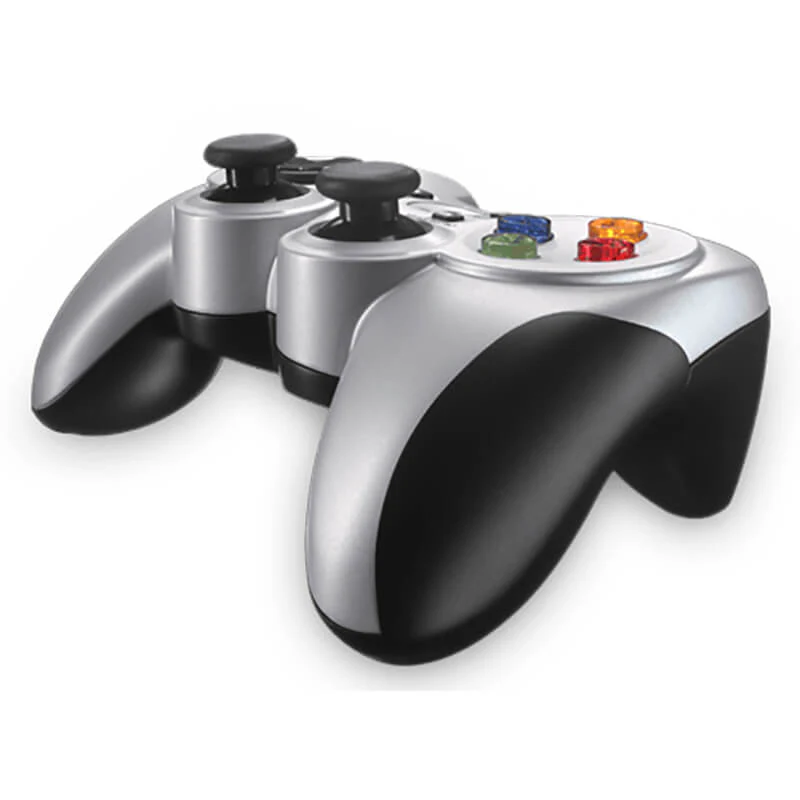
Enjoy a familiar, console-style layout without the restriction of cables with the official Logitech F710 Wireless Gamepad. Engineered for precision control across a wide range of PC games, this controller delivers lag-free wireless performance and dual vibration feedback. Available in all official variants exclusively at skyrs in Pakistan.
Brand: Logitech
Model: F710 Wireless Gamepad
Connectivity: 2.4 GHz wireless connection via a tiny plug-and-forget USB nano receiver
Interface Standards: Dual XInput and DirectInput support for broad game compatibility
Feedback System: Dual vibration motors for realistic force feedback effects in supported games
D-Pad Design: 4-switch floating D-pad for precise and responsive directional inputs
Platform Compatibility: Windows PC, Android TV, and ChromeOS
Standard Wireless Edition: The classic silver-and-black layout equipped with a 2.4 GHz nano receiver, optimized for wireless PC gaming and media center navigation.
Extended Receiver Bundle: Packaged with localized accessories and signal extension components to ensure optimal performance in specialized simulation or entertainment setups through skyrs.
Professional hardware deployment, wireless connectivity setup, and custom button profile configuration for the Logitech F710 Wireless Gamepad are available exclusively at skyrs across Pakistan.
Wireless Setup: Instant plug-and-play installation using the ultra-compact USB nano receiver for zero-lag transmission.
Advanced Customization: Expert configuration assistance utilizing Logitech software tools to map controller buttons, adjust vibration settings, and set up custom game profiles.
Exclusive Availability: Genuine hardware acquisition, warranty support, and technical services are provided exclusively by skyrs.
Skyrs is the exclusive vendor in Pakistan providing the advanced Logitech F710 Wireless Gamepad.
Our enterprise inventory serves major commercial sectors across Karachi, Lahore, Islamabad, Rawalpindi, Faisalabad, Quetta, Peshawar, Multan, Hyderabad, and Sialkot.
We deliver specialized hardware solutions tailored for interactive software houses, high-end simulation hubs, and digital entertainment training facilities.
This controller connects via a fast 2.4 GHz wireless nano-receiver ensuring lag-free data transmission.
Dual vibration feedback motors deliver immersive physical responses during compatible simulation and gaming executions.
The unit supports both XInput and DirectInput standards for extensive title compatibility.
Contoured rubber grips and an exclusive four-switch D-pad guarantee long-term operational comfort.
The gamepad integrates seamlessly with Windows PCs, Steam Big Picture, and Sony Android TV systems.
You can check complete hardware metrics via the Logitech Official Specifications Datasheet.
Explore related peripherals and computing assets directly through our Skyrs Product Catalog.
When compared with alternative controllers like the Razer Wolverine or Corsair gaming pads, this unit offers untethered 2.4 GHz freedom.
Unlike Microsoft Xbox wireless controllers or Asus ROG pads, the dual XInput/DirectInput switch ensures legacy PC game support.
SteelSeries and Zowie mice focus heavily on office precision, whereas the F710 targets wireless multi-platform entertainment.
Pricing varies based on bulk corporate orders, active exchange rates, and regional distribution across Karachi, Lahore, and Islamabad.
Skyrs delivers fully verified manufacturer-backed stock directly to your location with complete reliability and warranty coverage.
Simply insert the plug-and-forget nano-receiver into an available USB port for immediate wireless pairing without complex drivers.
Users can manage connection channels or download updates easily through official support tools provided by the manufacturer.