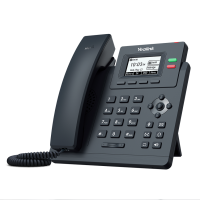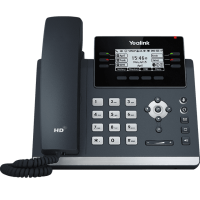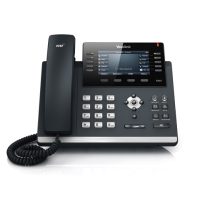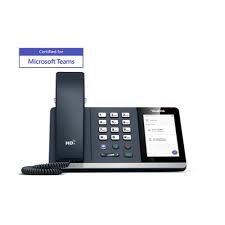
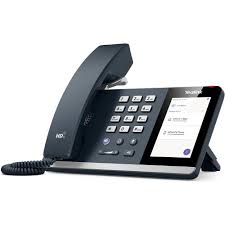
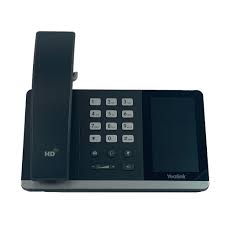
The Yealink SIP-T55A is an Android-based “Smart Business Phone” primarily designed as a cost-effective, touch-screen solution for Microsoft Teams and Skype for Business users. It is ideally suited for office desks, front desks, and common areas.
Status Note: The T55A was officially discontinued (EOL) in November 2021. In 2026, it is considered a legacy device and is no longer receiving new feature updates. The recommended current replacement is the Yealink MP54.
| Feature | Details |
| Display | 4.3″ capacitive touch screen (480 x 272 pixels) |
| OS | Android-based (Optimized for Teams/SfB) |
| Audio | Optima HD Voice and Yealink Noise Proof Technology |
| Ethernet | Dual-port Gigabit Ethernet (10/100/1000 Mbps) |
| USB | 1 x USB 2.0 port (for headsets, Wi-Fi, or Bluetooth dongles) |
| PoE | Support (IEEE 802.3af, Class 3) |
Native Teams Experience: Comes with a pre-installed, Microsoft-tailored interface that includes a synchronized Outlook calendar and one-touch meeting joins.
Flexible Firmware: Unique for its time, the hardware can be flashed between Microsoft Teams and Skype for Business editions depending on your organization’s needs.
HD Audio Quality: Features a full-duplex hands-free speakerphone with AEC (Acoustic Echo Cancellation) and a hearing aid compatible (HAC) handset.
Wireless Expandability: While not built-in, the USB port supports the WF50 dongle for Dual-band Wi-Fi and the BT41 dongle for Bluetooth headsets.
BToE Support: Supports “Better Together over Ethernet,” allowing the phone to pair with a PC for easier call control and locking/unlocking.
Screen: 4.3-inch multi-point touch surface with an adjustable angle.
Fixed Keys: Dedicated buttons for Volume, Mute, Headset, Message, and Speakerphone.
Ports: 1 x RJ9 handset, 1 x RJ9 headset, and 1 x Security lock port.
Because this device runs an older version of Android, it may face security compliance issues or “App Version” expiration on Microsoft Teams. If you are seeing a “Company Portal” error or sign-in loops, it is likely due to the hardware reaching its software support limit.
Would you like me to find the firmware version requirements for Microsoft’s 2026 security standards for this model?
The Yealink T55A is a premium communication product designed to provide an enriched HD audio experience for busy professionals. This smart media product enables productivity-enhancing visual communication with the simple ease of a standard office desk phone. Based on an Android operating system, this product features a stunning 4.3-inch multi-point capacitive touchscreen display. Executives in Karachi can navigate the intuitive interface to manage complex call workflows with absolute professional speed. The product delivers lifelike voice clarity through Yealink Optima HD technology and a specialized Noise Proof filtering system. Users in Lahore can enjoy crystal-clear conversations even in busy open-plan office environments using this advanced product. It supports a wide range of audio codecs to maintain high-quality sound across different network conditions in Pakistan.
This product includes a versatile USB 2.0 port for pairing Bluetooth headsets and high-quality wireless headsets via dongles. You can easily connect to local networks in Islamabad via the optional Wi-Fi module on the product. It features a dual-port Gigabit Ethernet switch to ensure rapid data transfer and high-speed network pass-through functionality. The product provides effortless local call recording and supports various wired USB headsets for hands-free mobility. Taxi services in Rawalpindi and Faisalabad use this product for its robust hardware and reliable long-term performance. It also supports Power over Ethernet (PoE) to simplify installation by reducing the need for extra power cables.
The product is fully certified for use with major hosted PBX platforms including RingCentral, AT&T, and Vonage Business. Businesses in Multan prefer this product for its effortless mass deployment through the Yealink Device Management Platform. It features a sturdy stand with two adjustable angles to optimize the ergonomic viewing position on any desk. You can easily wall-mount this product to save valuable space in retail outlets or dispatch control centers. The product integrates perfectly with cPhone and other specialized VoIP services across all major industrial sectors in Pakistan. It ensures total data security by supporting TLS 1.3 and advanced AES encryption for configuration file protection.
While the Poly CCX 400 offers a modern look, the Yealink T55A provides a more mature Android-based user interface. The product features 16 SIP accounts (in generic SIP firmware) compared to the fewer lines found on some entry models. Furthermore, this product utilizes Yealink Noise Proof technology which many users find superior for filtering out background distractions. It integrates perfectly with specialized communication platforms for diverse industrial use cases throughout Sialkot and Peshawar. The product remains a top choice for organizations seeking a balanced mix of visual sophistication and functional power.
| Feature | Yealink T55A | Poly CCX 400 |
| Display | 4.3″ Capacitive Touch | 5.0″ Capacitive Touch |
| Audio Tech | Yealink Noise Proof | Poly Acoustic Fence |
| USB Support | USB 2.0 (BT/Wi-Fi) | USB 2.0 (Type A) |
| Network | Dual Gigabit | Dual Gigabit |
Manufacturer Link: Official Yealink T55A Product Detail Page
Local Supplier Link: Buy Yealink T55A at SKYRS Pakistan
1. Does the Yealink T55A support Microsoft Teams? Yes, this product is specifically designed as a native Microsoft Teams endpoint but also supports Skype for Business.
2. Can I use a Bluetooth headset with this phone? Absolutely, you can use a Bluetooth headset with this product by connecting the optional Yealink BT41 USB dongle.
3. Is the Yealink T55A screen adjustable? Yes, the product features an adjustable screen angle to provide the best ergonomic viewing experience for every user.
4. How many Ethernet ports does the T55A have? This product includes two Gigabit Ethernet ports, allowing you to connect your PC through the phone to the network.
5. Does the T55A support Wi-Fi? Yes, this product can connect to Wi-Fi networks if you use the optional Yealink WF40 or WF50 USB dongle.
6. Where can I get local support for Yealink in Pakistan? You can receive professional support and authentic units from SKYRS, serving Karachi, Lahore, and Islamabad.
Tags: #YealinkT55A #IPPhonePakistan #BusinessCommunication #VoIP #YealinkPakistan #Skyrs #MicrosoftTeamsPhone #OfficeTech #RingCentralCompatible #VonageSolutions #KarachiTelecom
Would you like me to prepare a technical comparison between the T55A and the newer MP54 model for your office?
| Weight | 3 kg |
|---|